

Tent Details Overview
The Tent Details page provides a comprehensive view of your tent’s information, status, and management options. This is your central hub for understanding and controlling your tent. Open it from Content > Tents by clicking any tent’s name.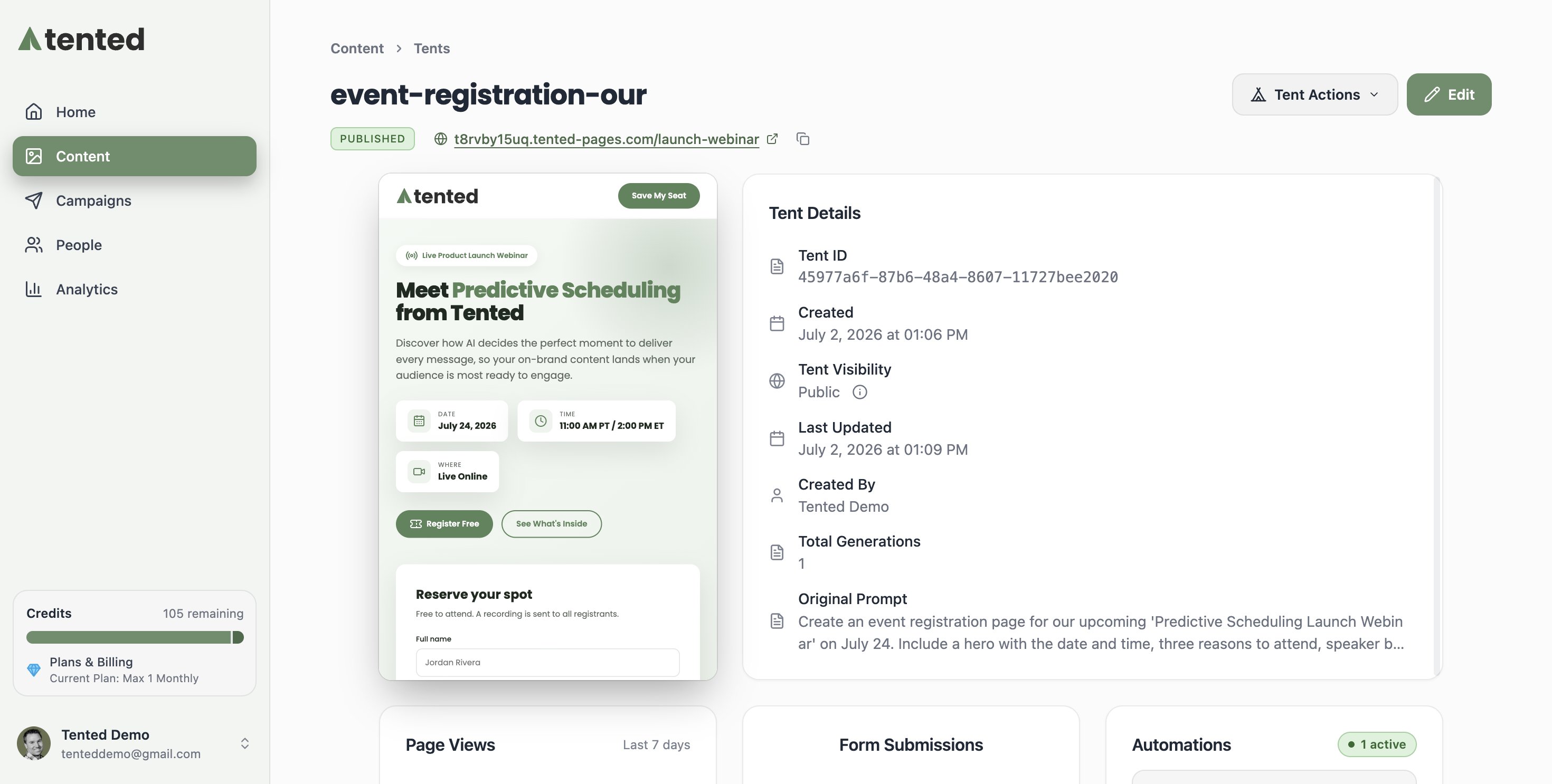
Page Layout
Header Section
The header displays essential tent information:- Tent Name: The name of the tent. Double-click it to rename the tent.
- Status Badge: Draft (being created or edited) or Published (live on the web).
- Live URL: Shown when the tent is published — click it to open the live page.
Action Buttons
- Edit: Opens the tent editor, where you make changes through chat or direct code editing.
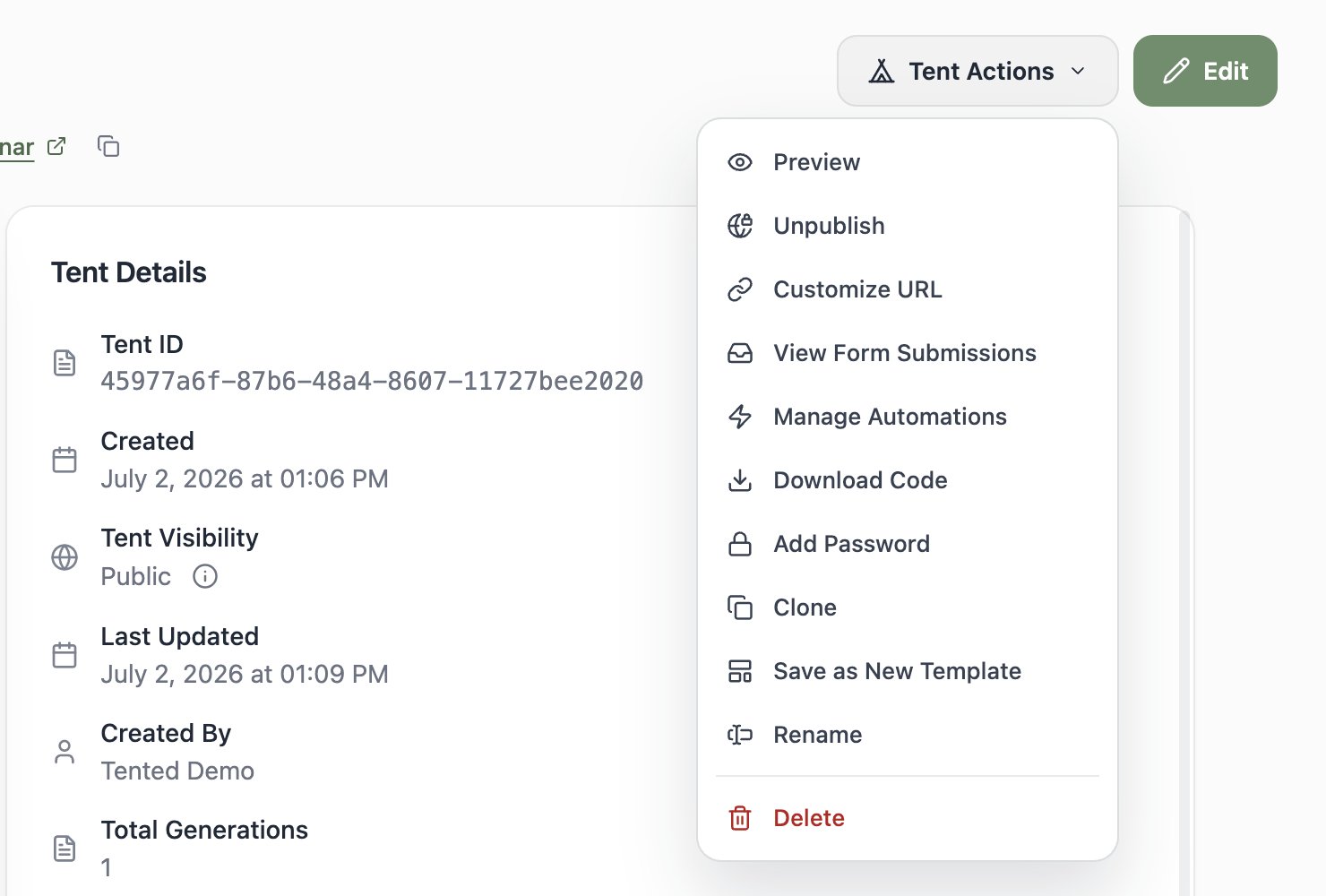
- Tent Actions: A dropdown with everything else:
Information Tiles
Tent Details
- Tent ID: Unique identifier (hover to Copy ID) — you’ll use this with the API
- Created / Last Updated: Timestamps
- Tent Visibility: Public or Private
- Created By: Who made it
- Total Generations: How many AI generations this tent has been through
- Original Prompt: The prompt that started it all (hover to expand and copy)
Activity Cards
Across the bottom you’ll find three live cards: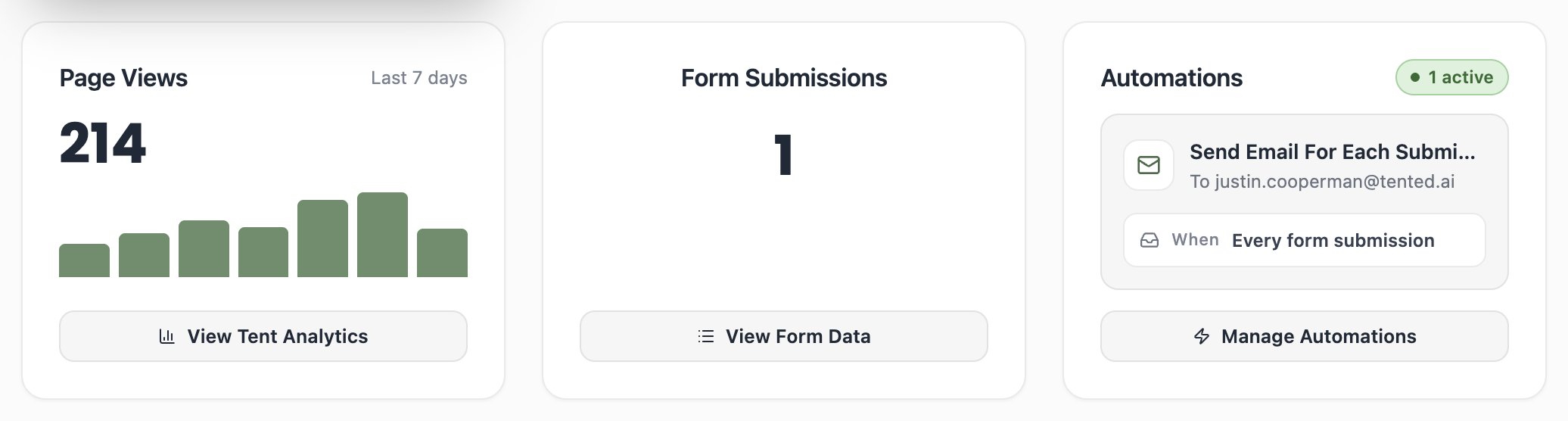
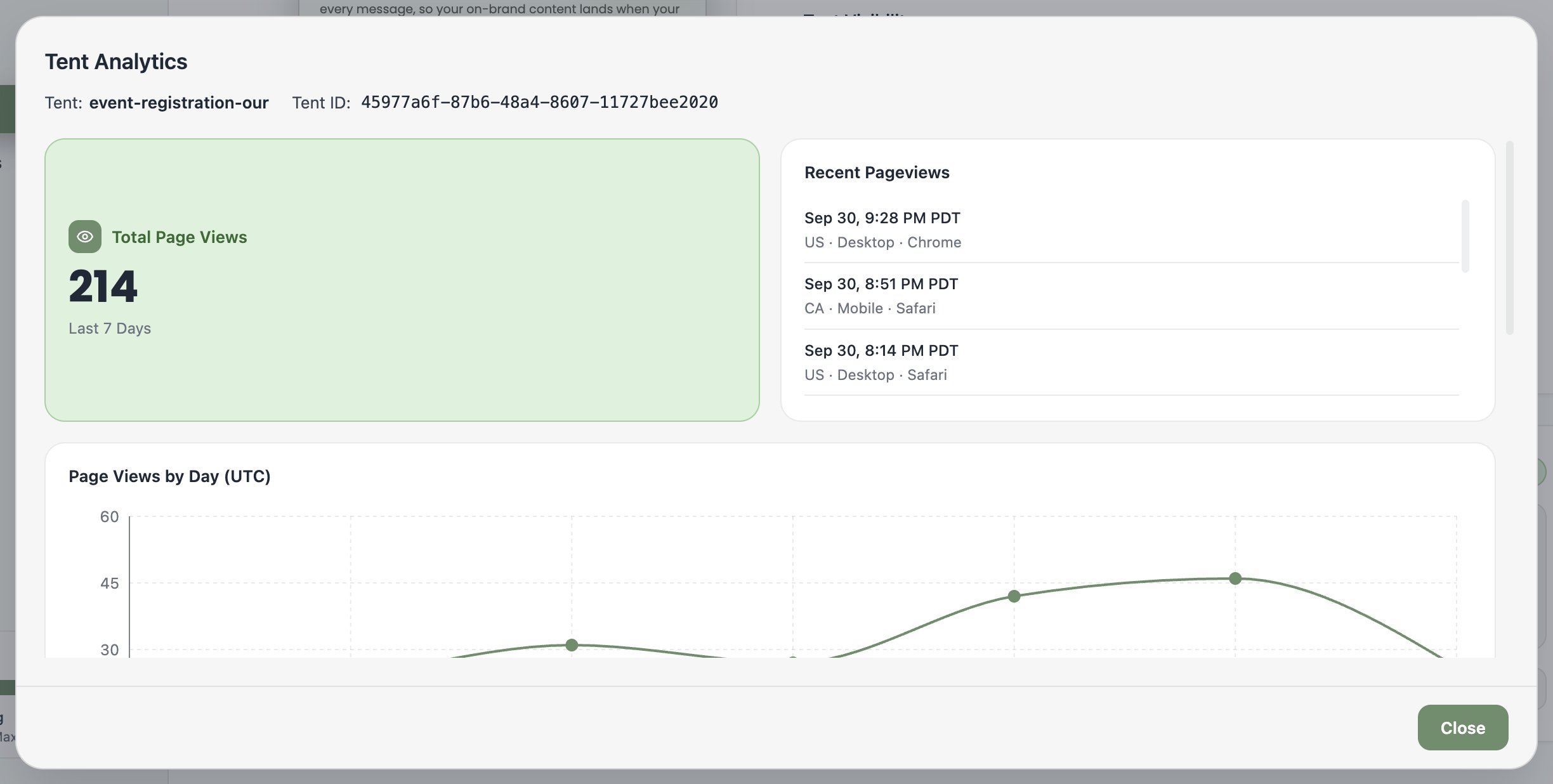
- Page Views — traffic for the last 7 days, with View Tent Analytics for the full picture: recent pageviews (with location, device, and browser) and a views-by-day chart.
- Form Submissions — total submissions, with View Form Data to inspect and export them.
- Automations — your active form automations at a glance, with Add Automation to create more.
Next: Understanding the Tent Editor
Learn how to navigate and use the tent editor interface.