

Where Billing Lives
Click Plans & Billing under the Credits meter in the bottom-left of the sidebar to open the Manage Subscription dialog. The same plans and usage are also in Settings > Plans and usage.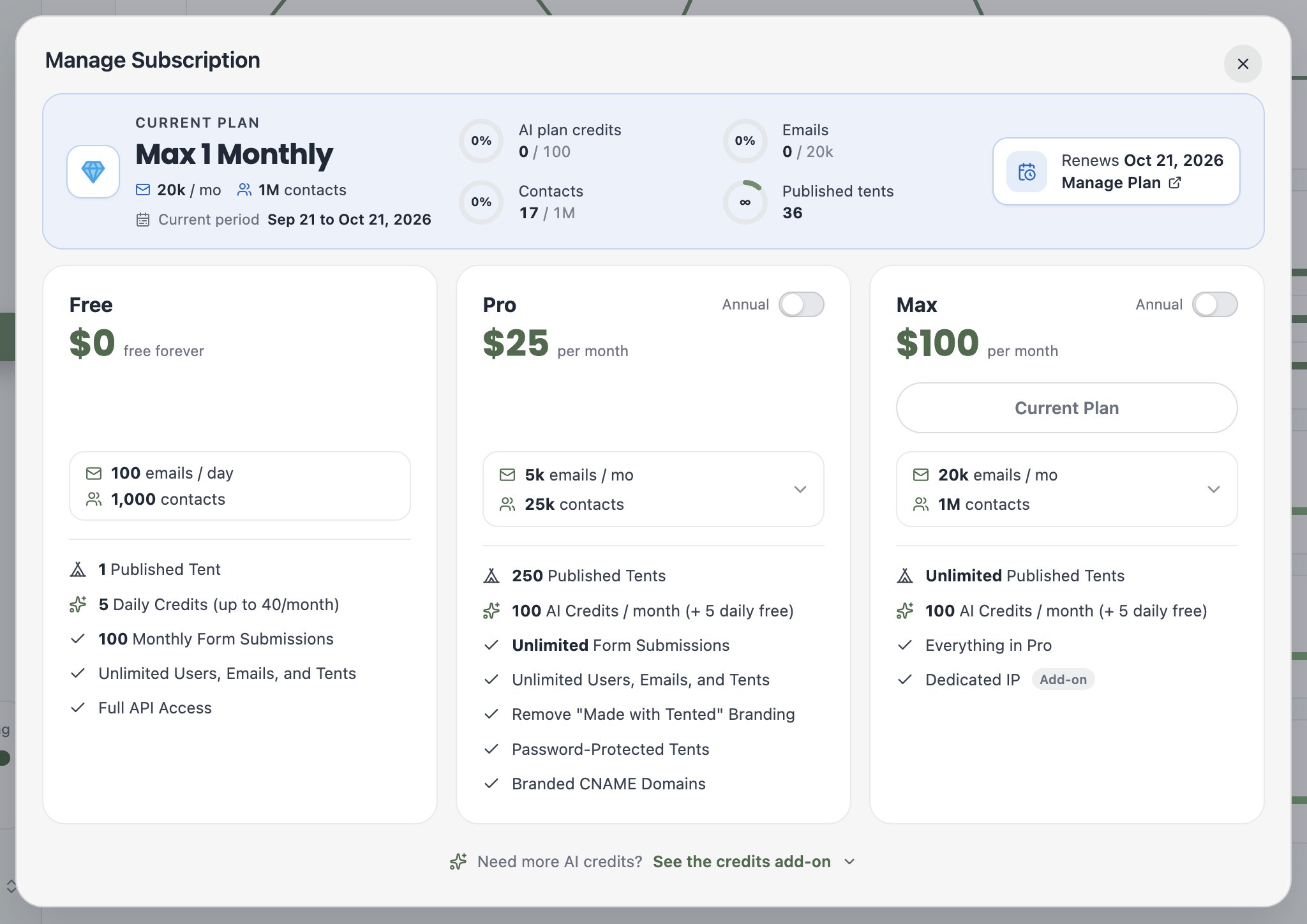
Common Tasks
- Change plans — pick a different plan card. Upgrades take effect immediately.
- Switch to annual billing — flip the Annual toggle on the Pro or Max card.
- Adjust your volume tier — on Pro and Max, use the emails / mo dropdown on the card to right-size your email volume and contact allowance.
- Add AI credits — every paid tier includes 100 monthly AI credits; buy more in 100-credit blocks with the AI Credits Add-on at the bottom of the dialog.
- Manage payment details and invoices — click Manage Plan next to your renewal date to open the billing portal, where you can update your payment method, view past invoices, and cancel or renew your subscription.
Billing changes are workspace-wide and require an Admin role.
Keeping an Eye on Usage
Your remaining credits are always visible in the Credits meter at the bottom of the sidebar — hover it to see your current billing period. For the full picture, see Viewing Current Usage.Next: Viewing Current Usage
Track credits, sends, and generations across your workspace.