

What’s an A/B test?
An A/B test takes the guesswork out of a blast: instead of betting the whole audience on one subject line (or send time, or sender), Tented sends up to five variations to a small sample, measures which one performs best, and delivers the winning version to everyone else — automatically, or on your say-so. Every A/B test lives inside an email blast. Open a draft blast, head to the Schedule step, and find AB Test under Additional Settings. Click Add Test.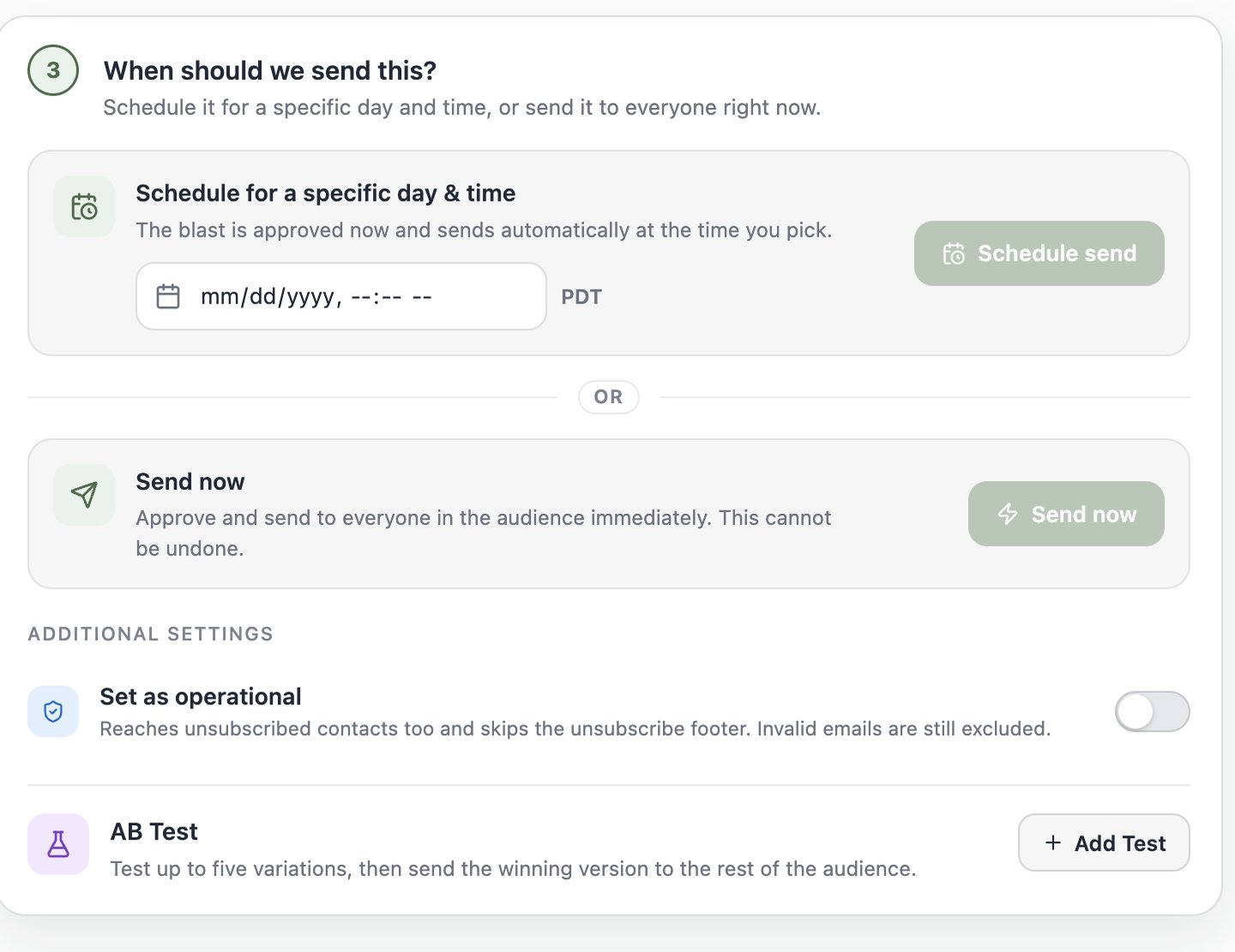
Once a test is active, the blast’s schedule follows the test’s start time, and Send now is unavailable — a test needs time to collect results before the winner can go out.
Choose what to test
The What should we test? dropdown offers five test types: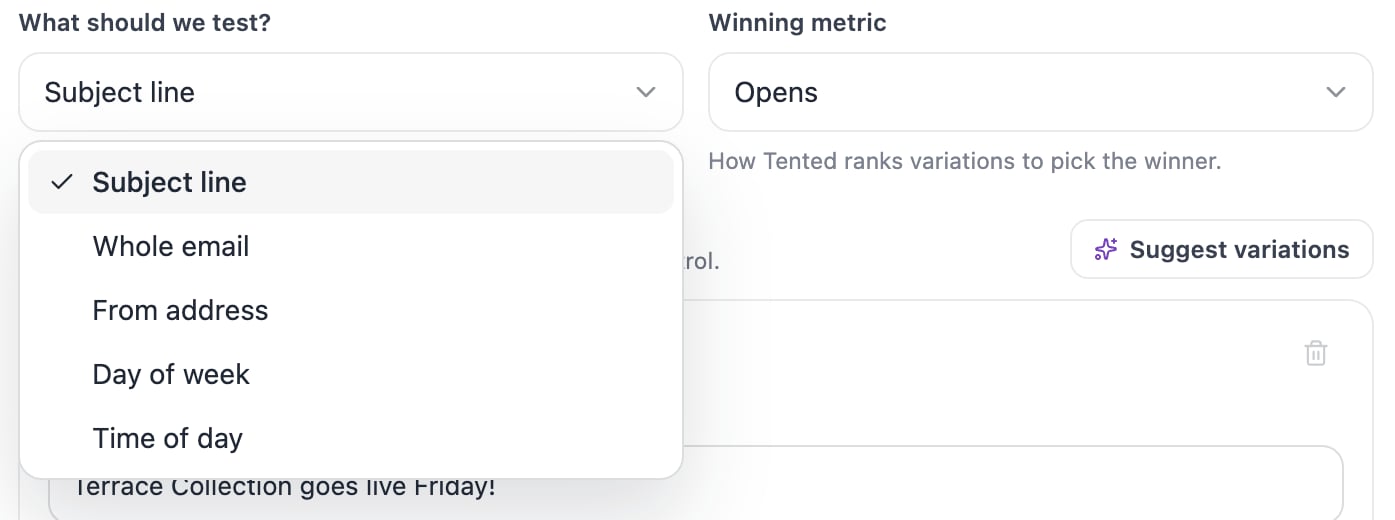
Build the variations
Variation A is always the control: your campaign’s current setup. Add up to four more with Add variation (a test needs at least two).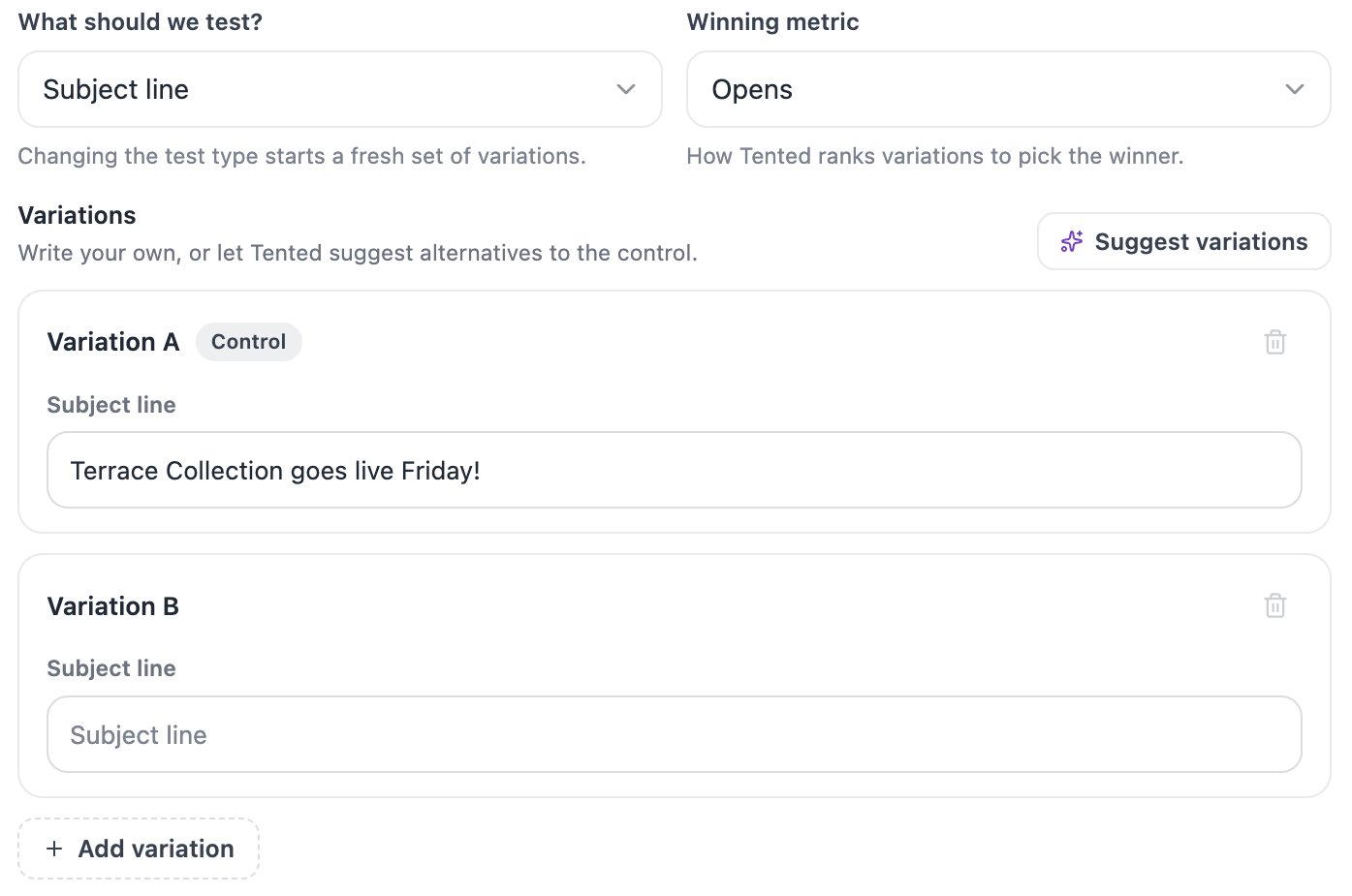
Let AI write the alternatives
For Subject line and From address tests, click Suggest variations and Tented generates alternatives alongside your control — each with a one-line rationale explaining what it’s testing, so the test is a real experiment rather than five shots in the dark. Keep them, edit them, or Regenerate variations for a new set.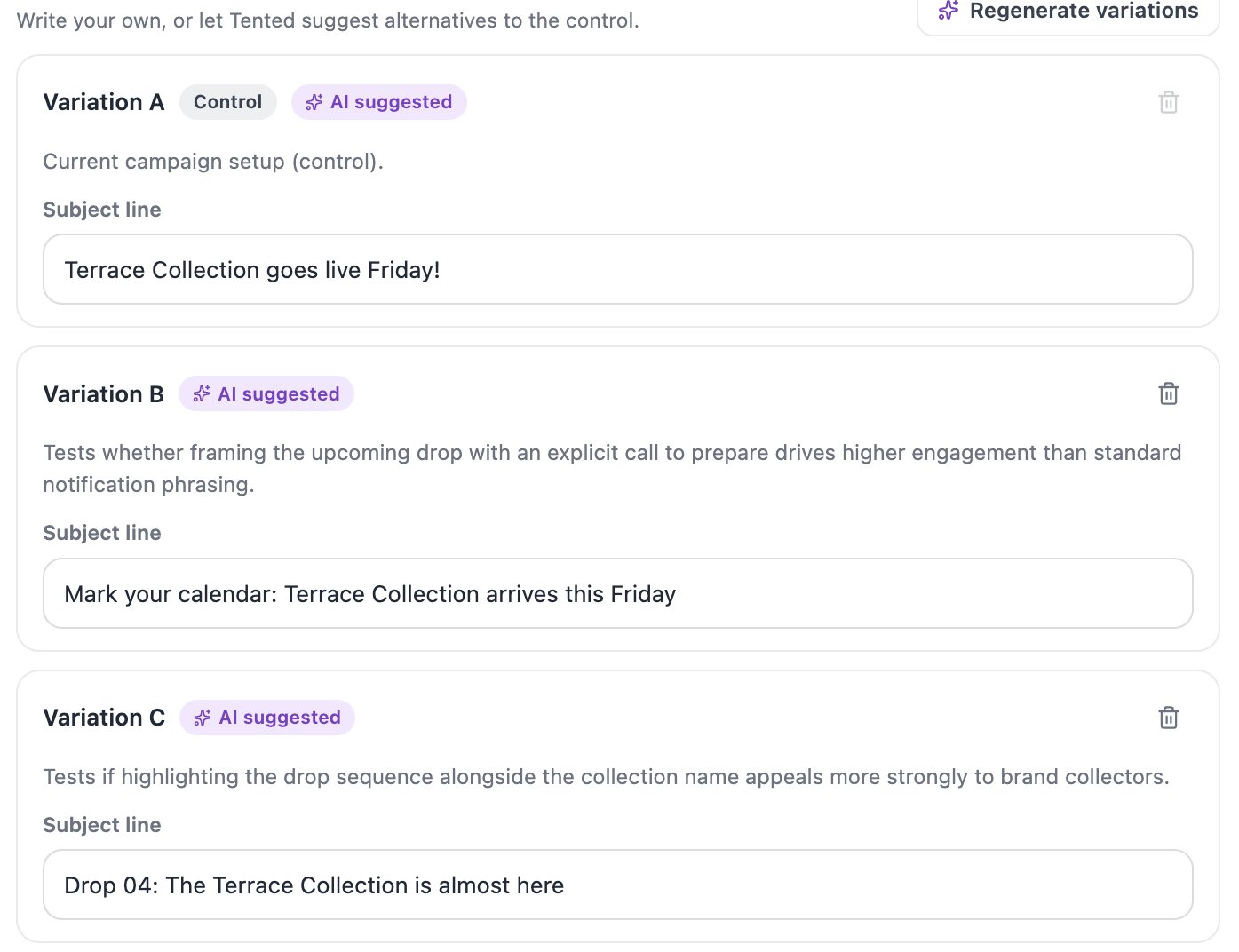
Whole-email variations
For a Whole email test, Variation A sends the approved campaign email. For each other variation, pick another approved email — or click Clone original email to duplicate the control and edit the copy in the email editor. Clones must be approved before the test can be saved.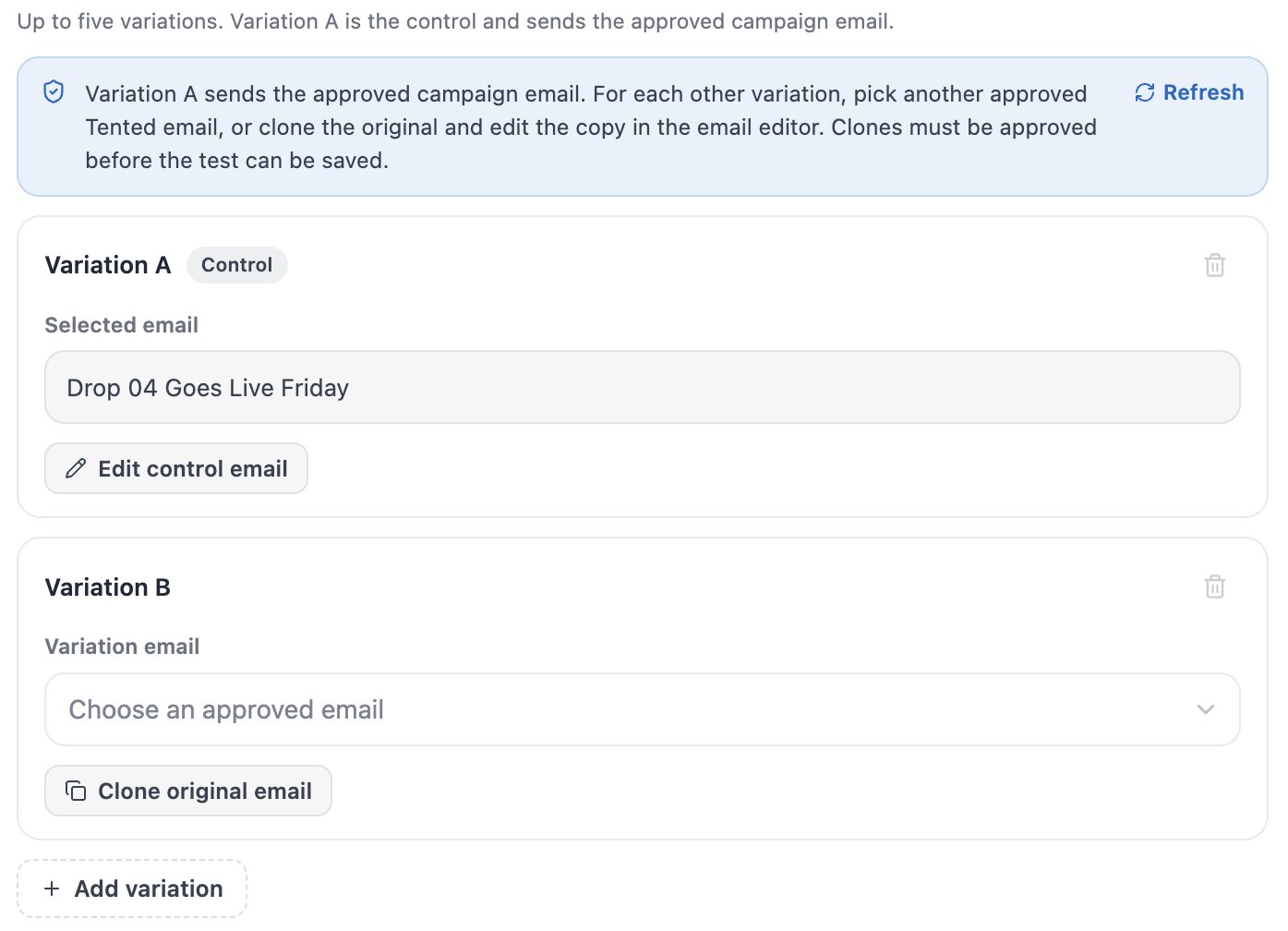
Timing variations
- Day of week — set one Send time for every variation, then give each variation its own weekday.
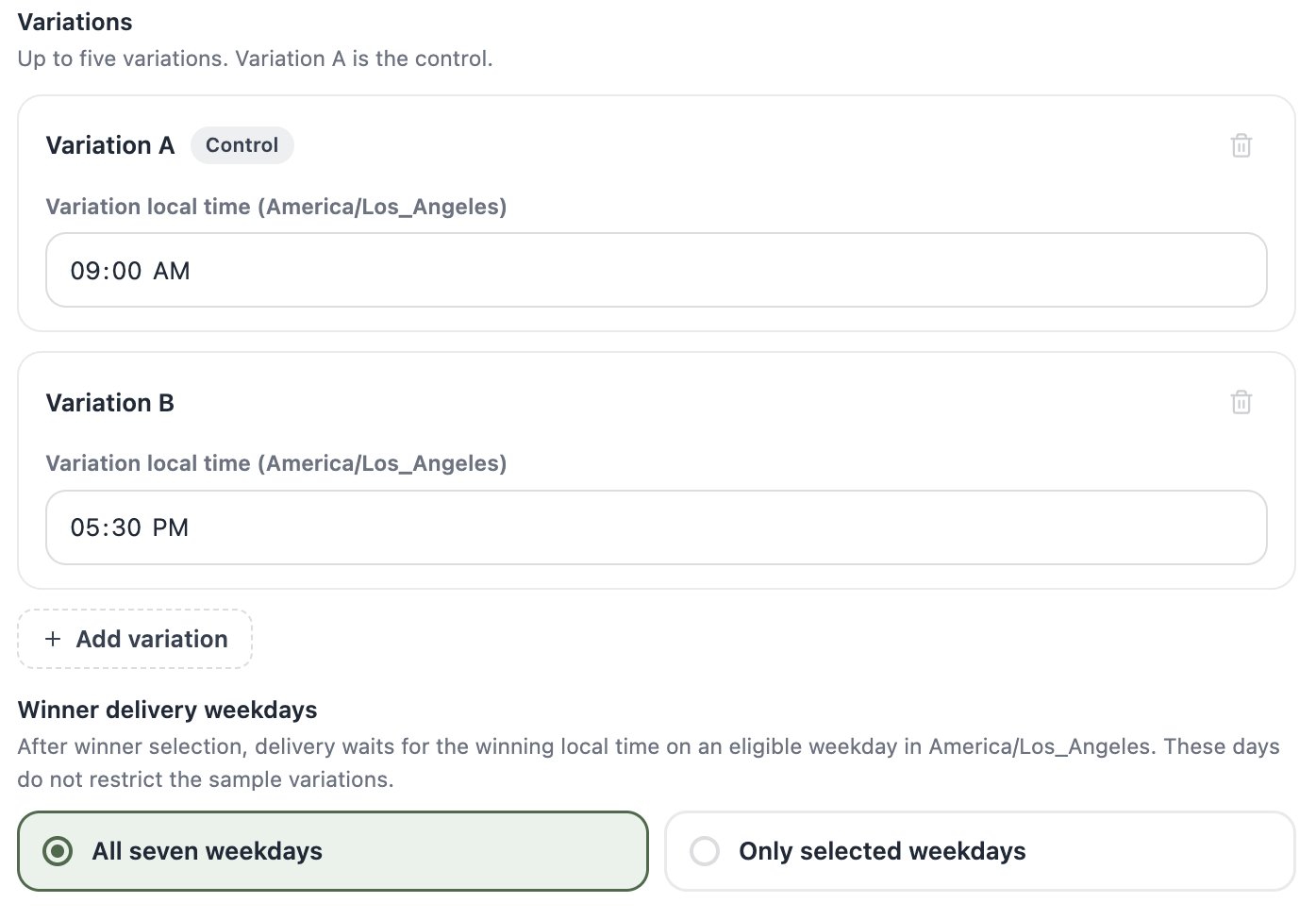
- Time of day — give each variation its own local time, interpreted as wall-clock time in the test’s timezone. A Winner delivery weekdays setting controls which days the winning time may be delivered on — after winner selection, delivery waits for the winning local time on an eligible weekday.
Split the audience
Audience allocation decides how much of the audience is the experiment and how much gets the winner:- Test sample (default 20%) — divided evenly across your variations.
- Winner audience (default 80%) — held back until a winner is chosen, then receives the winning version.
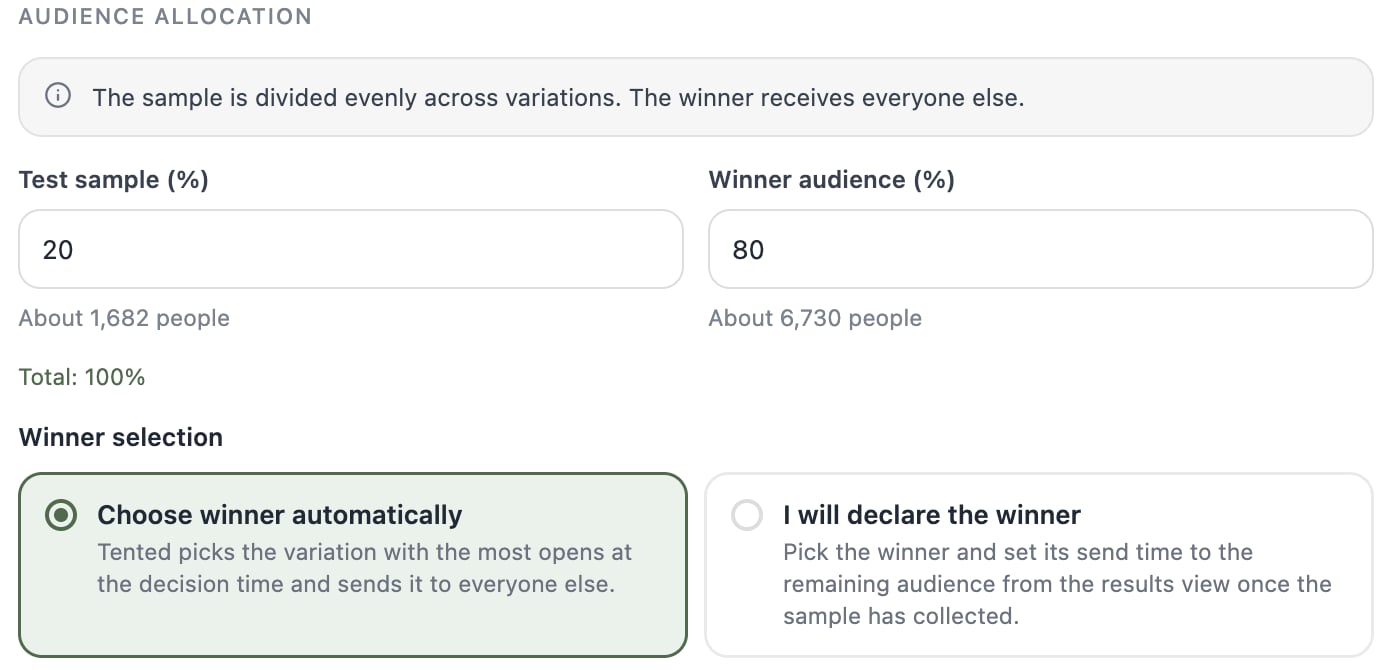
The audience needs at least one more qualified contact than you have variations — every variation gets at least one sample recipient, and at least one contact is always held back for the winner send.
Pick the winner (or let Tented)
Winning metric is how variations are ranked:
Winner selection has two modes:
- Choose automatically — at the Winner decision time, Tented ranks the variations by your metric and sends the best performer to the winner audience. On a perfect tie, the variation with more data wins, and the control wins over a challenger that merely matched it.
- Declare manually — you pick the winner yourself from the results view once the sample has collected. Tented emails you reminders after 6 and 24 hours, and a final reminder after 48 hours. The winner audience waits until you declare — nothing is sent without your pick.
Set the timing
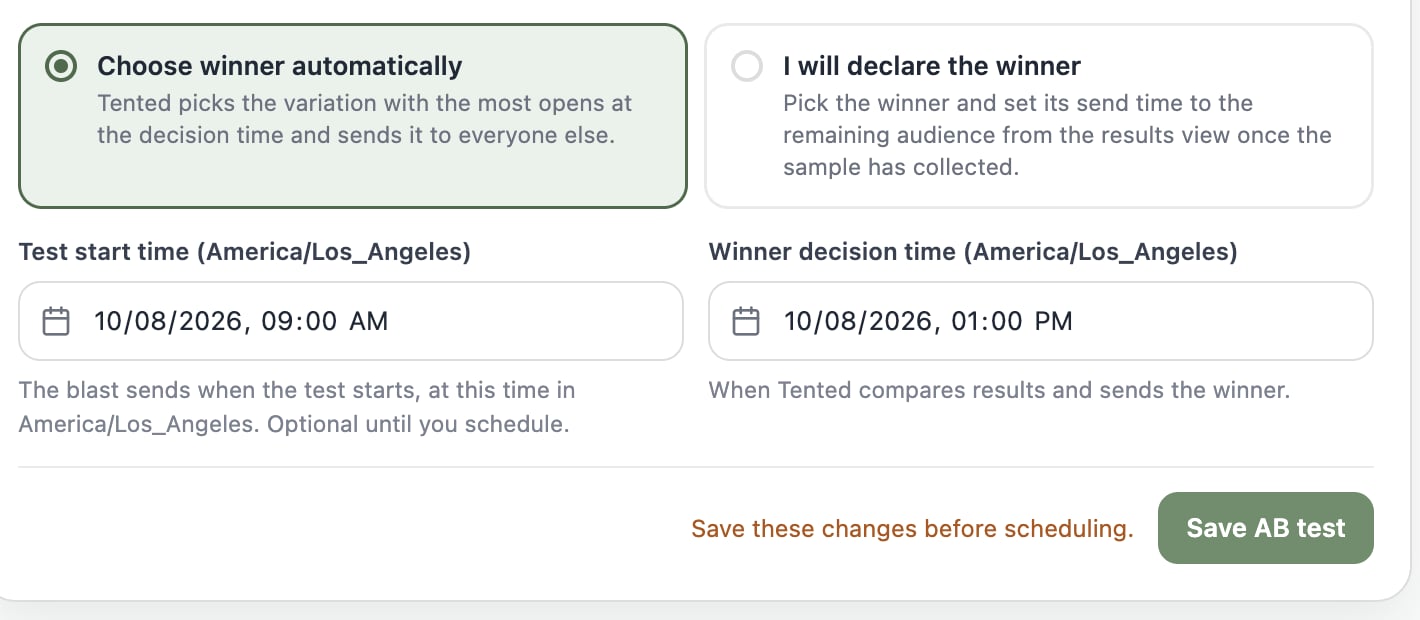
Two datetime fields close out the setup:- Test start time — when the sample sends go out. This is the blast’s send time. It can stay blank while you draft, but scheduling requires a start at least 2 minutes in the future.
- Winner decision time (automatic selection only) — when Tented evaluates results and sends the winner. It must land after every variation has sent. For subject-line, whole-email, and from-address tests the winner goes out right at decision time; day-of-week and time-of-day winners wait for the next eligible occurrence of the winning slot.
Save it, then schedule it
Click Save AB test — the badge in the AB Test header flips from Unsaved changes to Saved. Then launch from the top of the Schedule step, where the usual Schedule send button now reads Schedule test: it approves the blast and schedules the test to begin at your start time.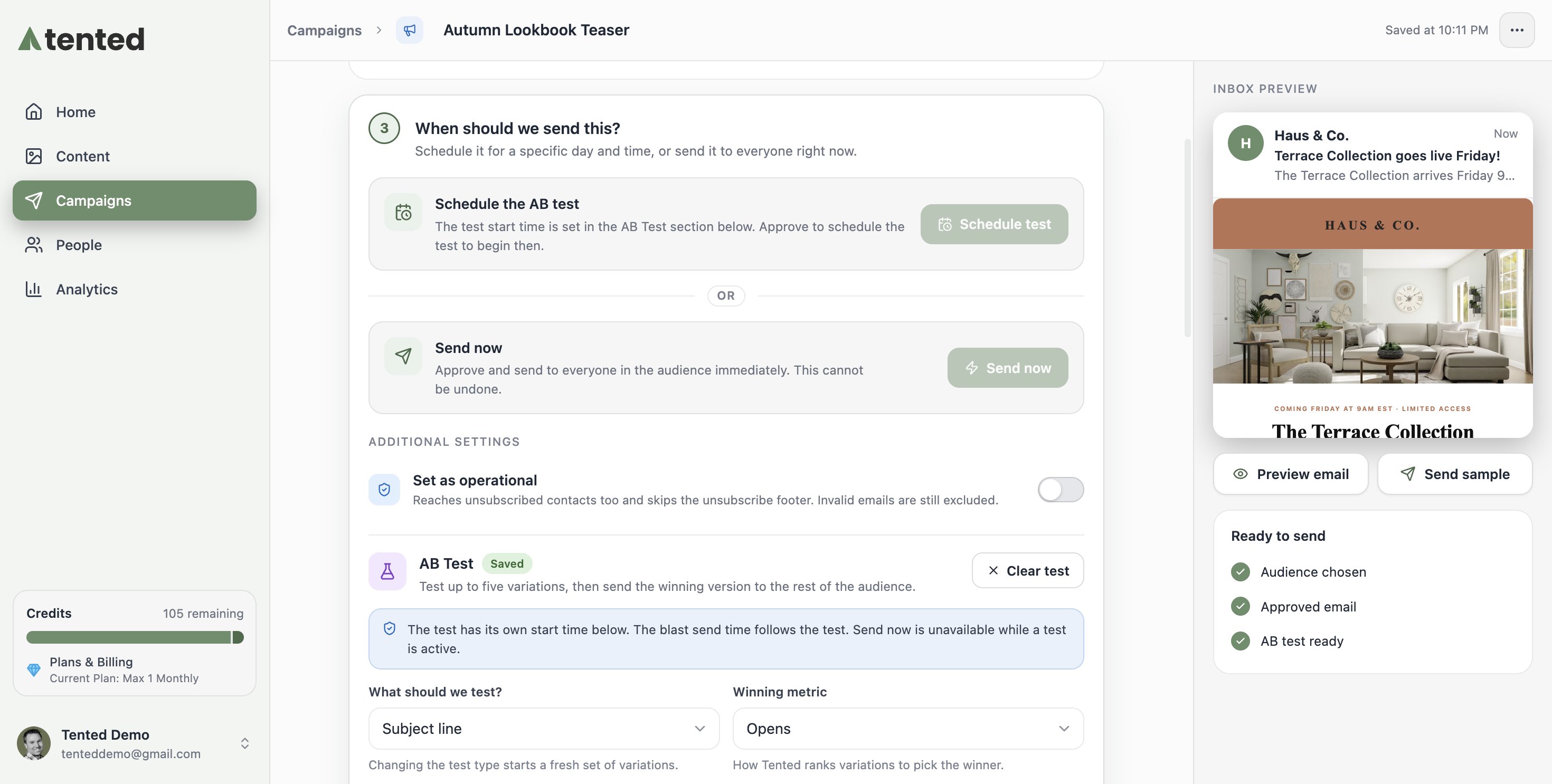
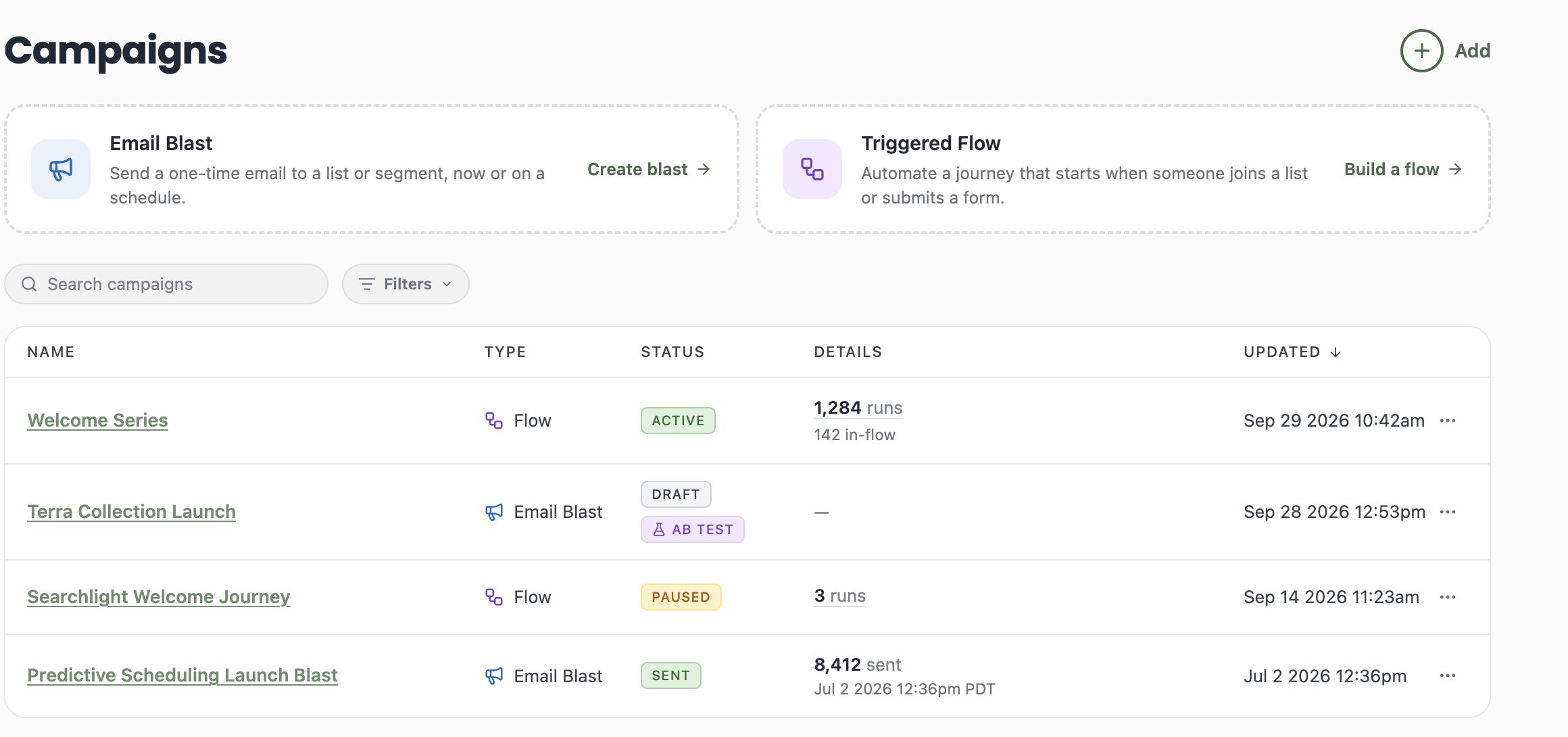
Watch the results roll in
Once scheduled, the campaign page gains an AB Test card that tracks the whole lifecycle — it refreshes itself, so you can leave it open: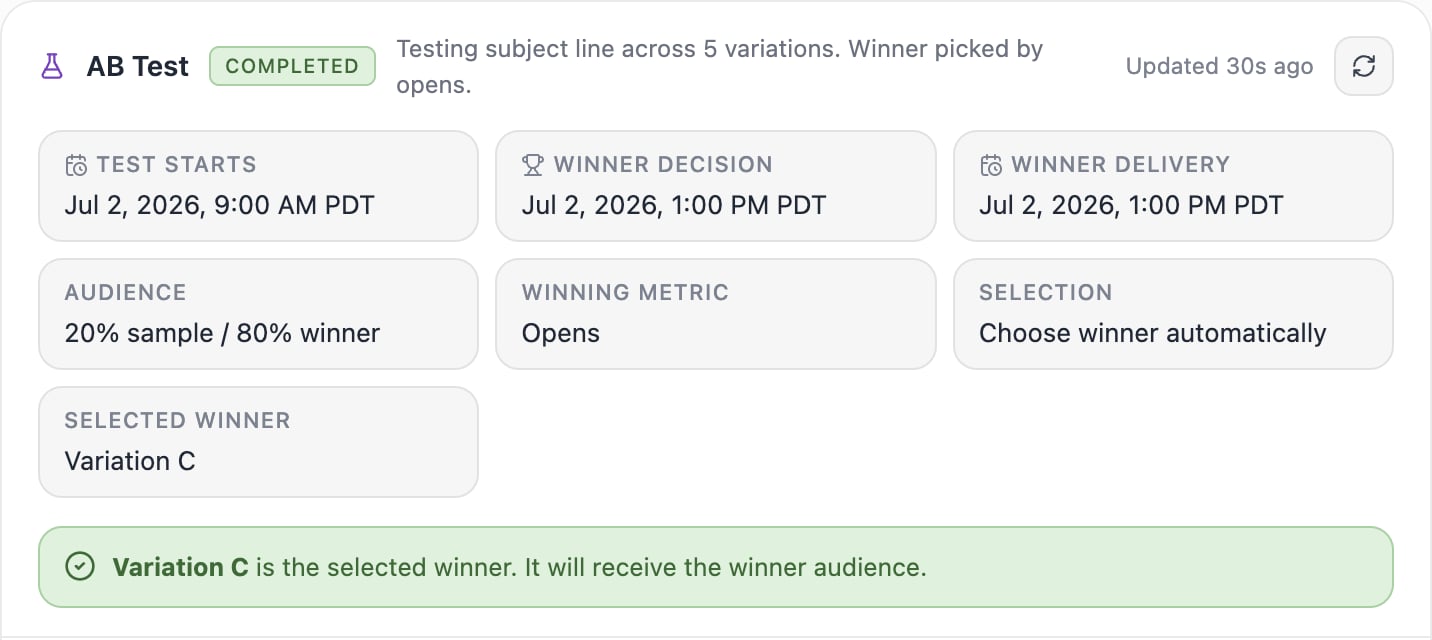
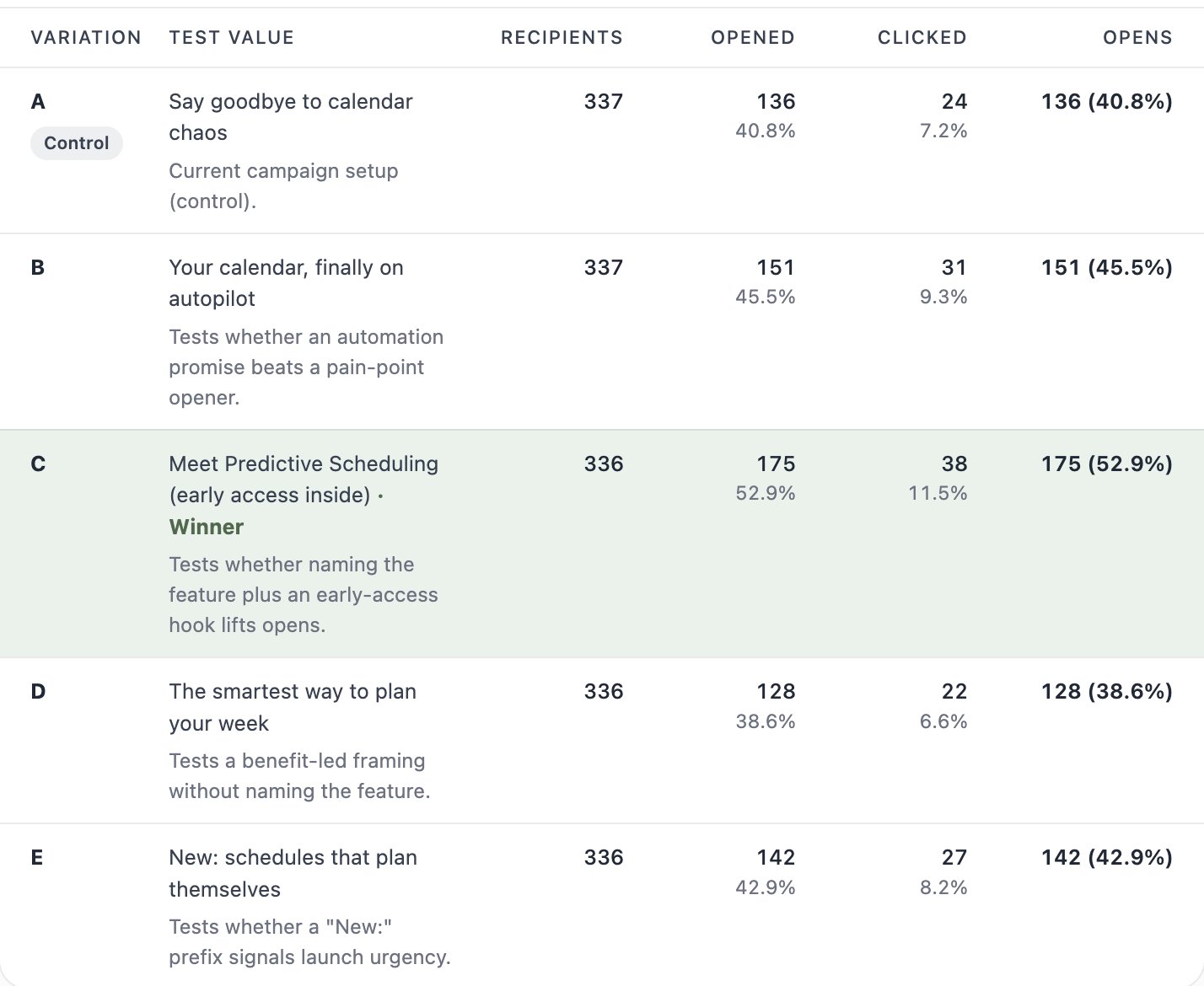
The results table shows every variation with its recipients, opens, clicks, and your winning metric. The winner is tinted green and wears the trophy:
What’s next?
Next: Track Email Performance
See how an email performed across every blast and flow it was sent in.