

Why lists?
Lists are how you turn a big database of people into targeted audiences. Every email blast sends to a list, and triggered flows can enroll contacts the moment they join one — so getting comfortable with lists pays off everywhere else in Tented. Head to People > Lists to see them all, along with each list’s type, member count, and when it was last updated.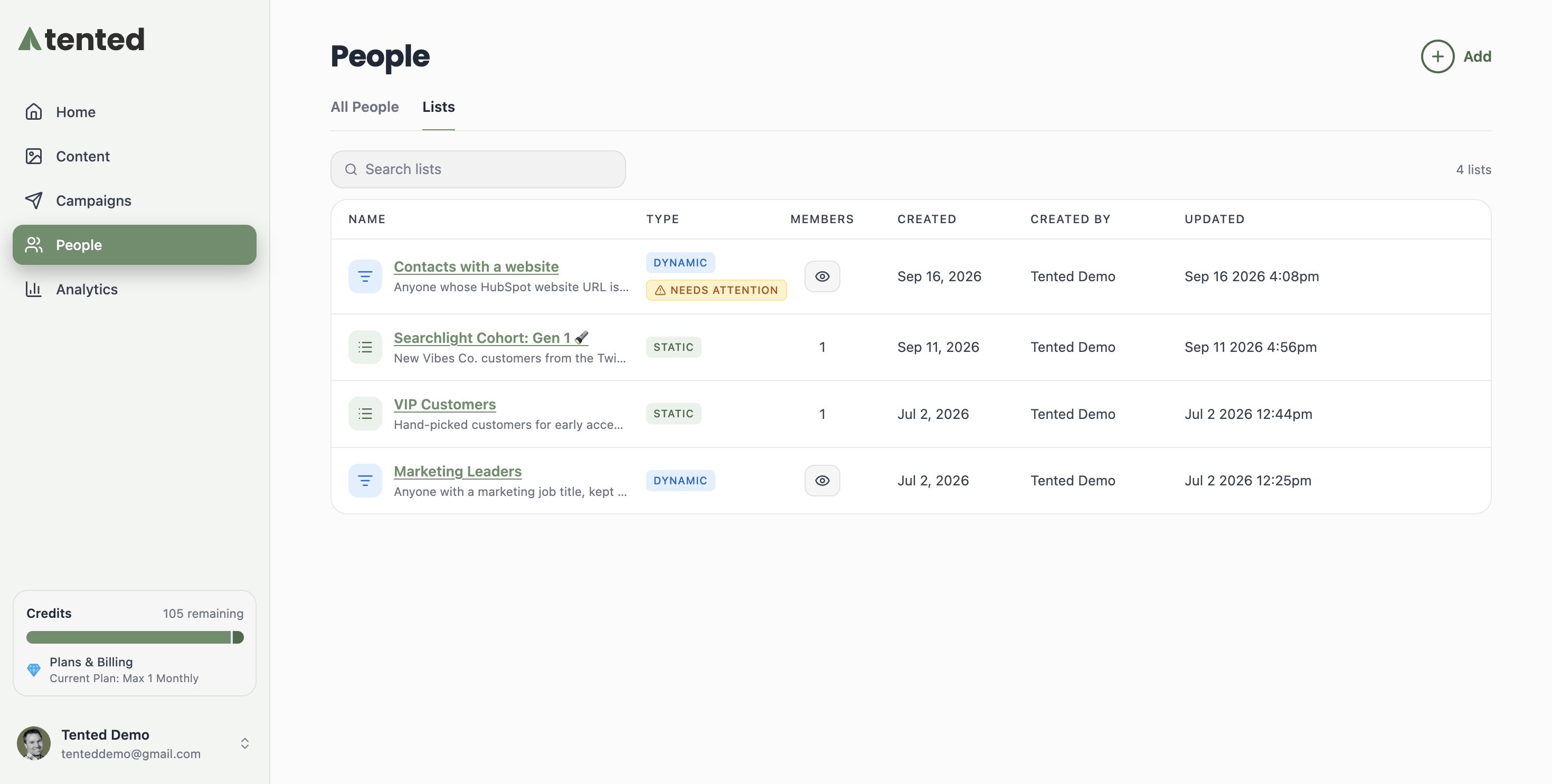
Static lists
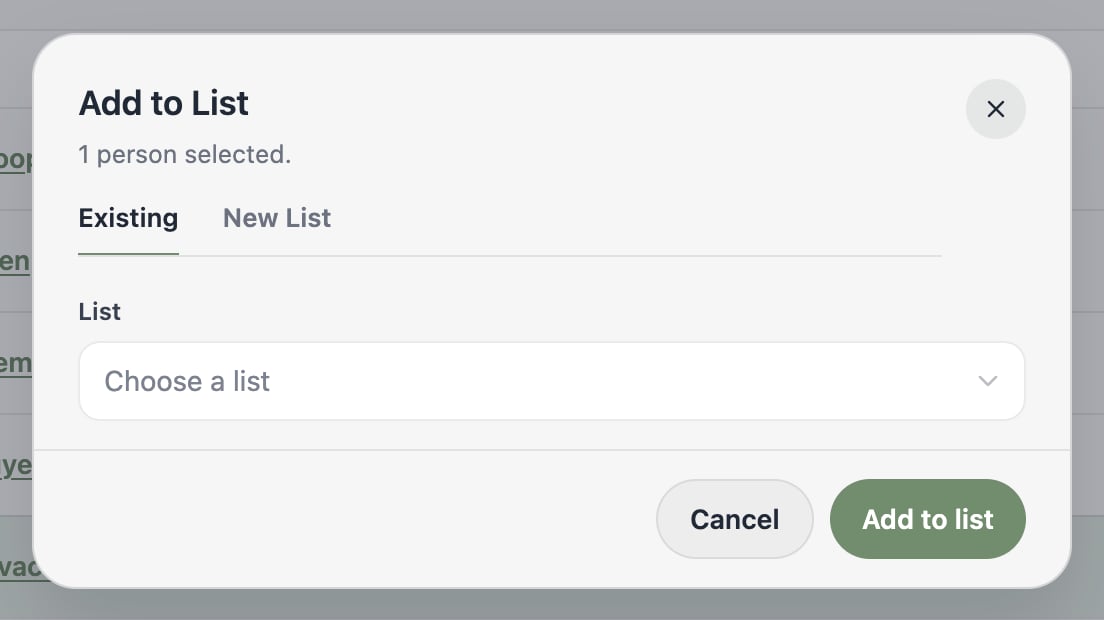
A fixed roster you manage by hand. Members stay put until you add or remove them. Great for hand-picked groups like VIP customers, event invitees, or a test audience.
Dynamic lists
A saved set of audience rules. Membership updates automatically as contacts change — anyone who matches is in, anyone who stops matching is out. Great for segments like “everyone with a marketing job title.”
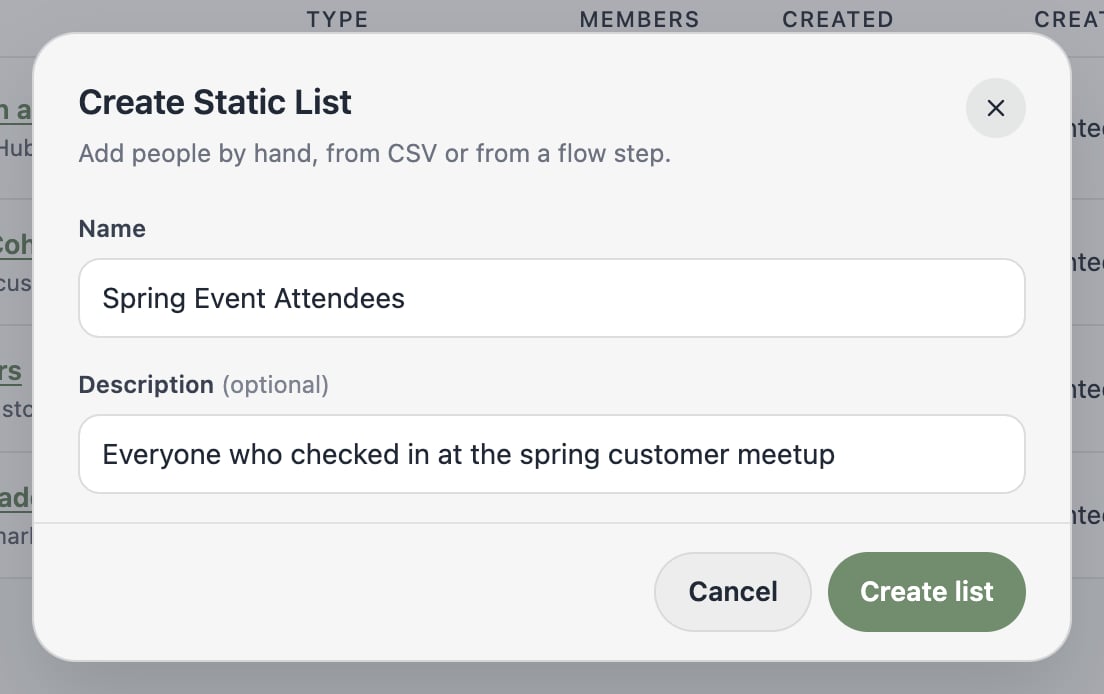
Creating a static list
- Click Add > Create Static List.
- Give it a name and an optional description.
- Click Create list.
Creating a dynamic list
- Click Add > Create Dynamic List.
- Name it, then build your audience rules — the same rule builder you know from filtering people. Match on contact properties, activities, or membership in other lists.
- Click Create list.
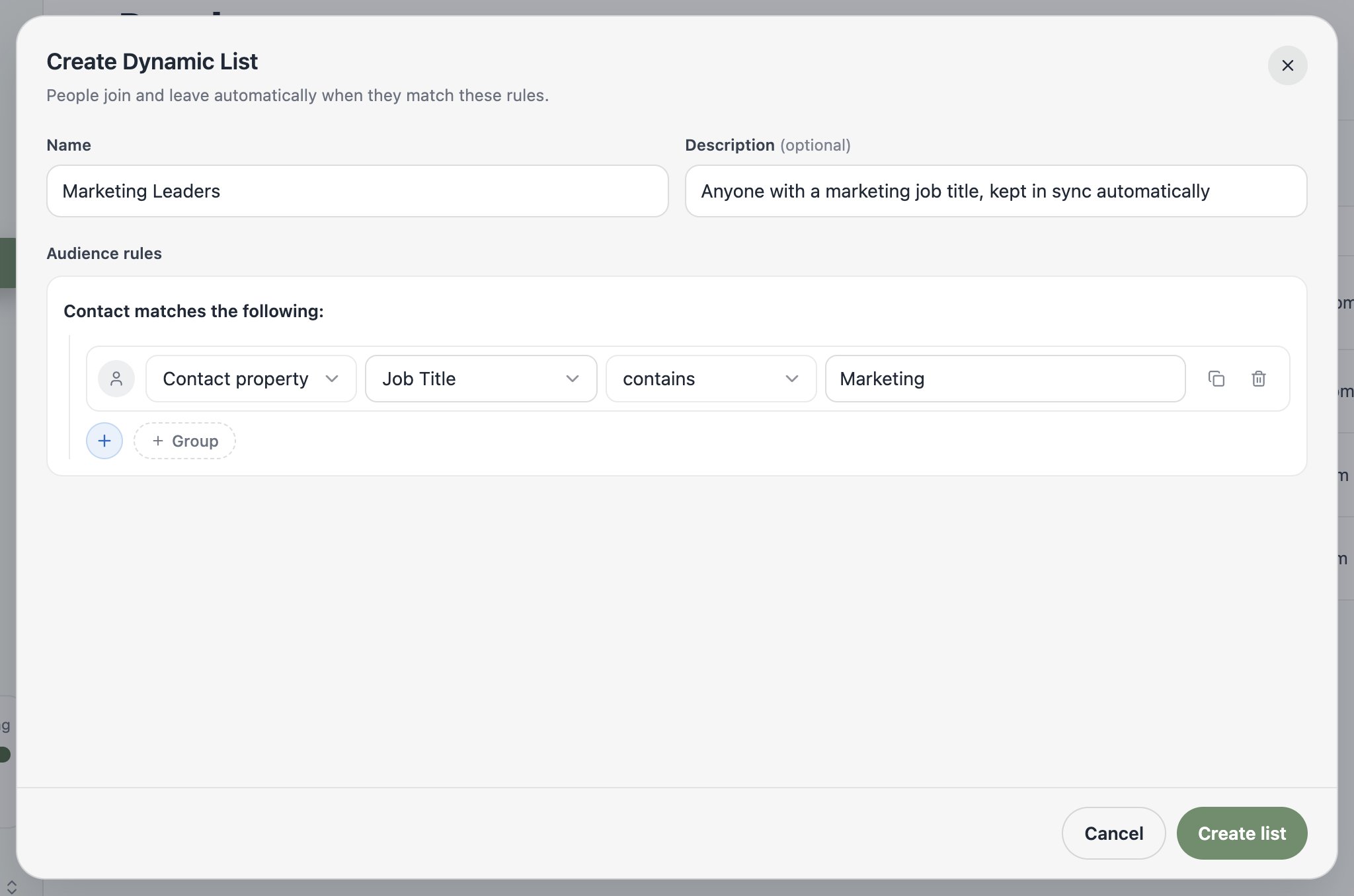
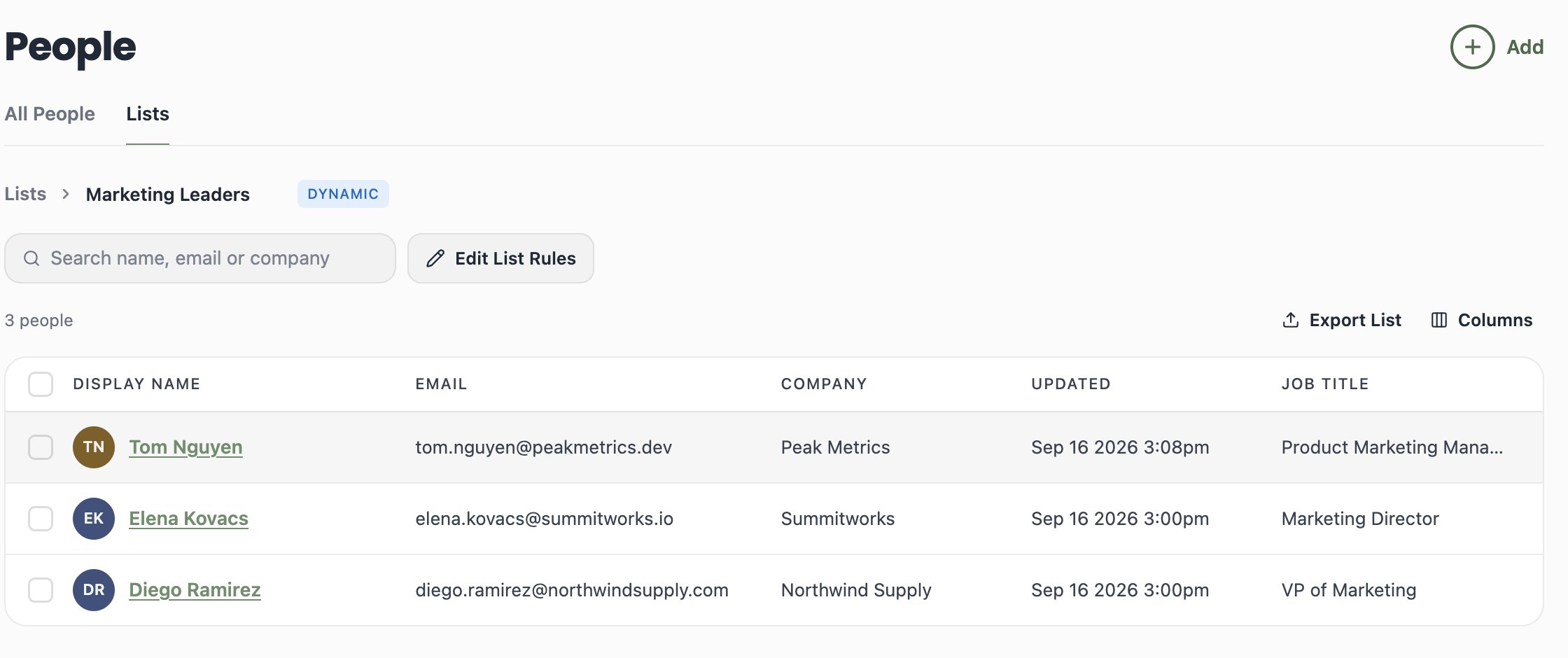
You can’t manually add or remove members from a dynamic list — the rules decide. If you need hand-picked control, use a static list. Use Edit List Rules on a dynamic list to change its rules at any time.
Managing lists
From a list’s page you can:- Search and sort its members
- Export List to CSV
- Edit List Rules (dynamic lists) to tweak the rules
- Run People Actions on selected members, just like in All People
Static vs. dynamic: a quick cheat sheet
What’s next?
Next: Setting Up Email
Verify your sending domain and sender details so your lists have somewhere to go.