Documentation Index
Fetch the complete documentation index at: https://docs.tented.ai/llms.txt
Use this file to discover all available pages before exploring further.
User Settings Overview
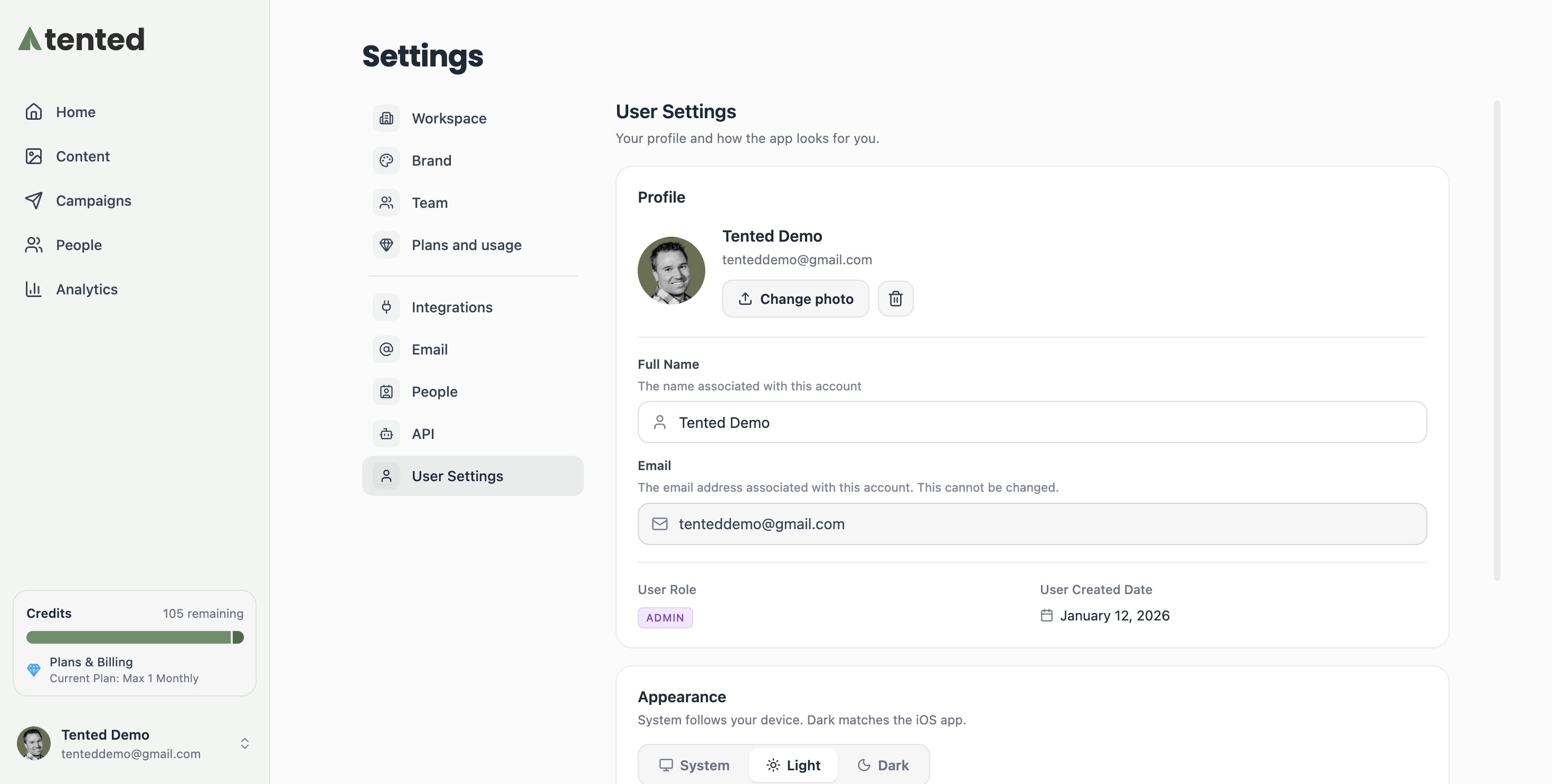
User settings allow you to customize your personal experience with Tented, including profile information, notification preferences, and account security settings.Profile Settings
Personal Information
Basic Profile:- Name: Your display name in Tented
- Email: Primary email address for account
- Profile Picture: Upload a profile photo
- Bio: Brief description about yourself
- Phone Number: For account recovery and notifications
- Timezone: For accurate timestamps and scheduling
- Language: Interface language preference
- Date Format: How dates are displayed
- Job Title: Your role or position
- Company: Organization you work for
- Industry: Your business sector
- Website: Your personal or company website
Account Preferences
Display Settings:- Theme: Light, dark, or system preference
- Density: Compact or comfortable interface
- Sidebar: Collapsed or expanded by default
- Notifications: Visual notification preferences
- Default View: Dashboard layout preference
- Sort Order: How tents are sorted by default
- Page Size: Number of items per page
- Auto-refresh: Enable/disable automatic updates
Notification Settings
Email Notifications
Account Notifications:- Login Alerts: Notify of new login attempts
- Password Changes: Alert when password is changed
- Security Events: Important security notifications
- Account Updates: Changes to account settings
- New Submissions: Form submission alerts
- Publishing Updates: Tent publication notifications
- Collaboration: Team member activity alerts
- Performance: Analytics and performance reports
- Product Updates: New features and improvements
- Tips and Best Practices: Educational content
- Community News: Updates from Tented community
- Promotional Offers: Special deals and discounts
In-App Notifications
Real-Time Alerts:- Form Submissions: Instant submission notifications
- System Messages: Important system updates
- Team Activity: Collaboration notifications
- Performance Alerts: Critical performance issues
- Sound: Enable/disable notification sounds
- Desktop: Browser desktop notifications
- Mobile: Push notifications on mobile
- Frequency: How often to receive notifications
Security Settings
Password Management
Password Security:- Current Password: Verify current password
- New Password: Set strong new password
- Password Requirements: Minimum complexity rules
- Password History: Prevent password reuse
- Use at least 8 characters
- Include uppercase and lowercase letters
- Add numbers and special characters
- Avoid common words or personal information
Two-Factor Authentication
2FA Setup:- Enable 2FA: Add extra security layer
- Authenticator App: Use Google Authenticator or similar
- SMS Backup: Phone number for backup codes
- Recovery Codes: Save emergency access codes
- Backup Codes: Generate new backup codes
- Device Management: Manage trusted devices
- Recovery Options: Set up account recovery
- Disable 2FA: Turn off two-factor authentication
Session Management
Active Sessions:- Current Session: Your current login session
- Other Devices: Sessions on other devices
- Session Details: Device, location, and time
- End Session: Log out from specific devices
- Auto-logout: Automatic logout after inactivity
- Session Timeout: How long sessions remain active
- Device Trust: Trusted device settings
- Security Alerts: Unusual activity notifications
Privacy Settings
Data Privacy
Data Collection:- Analytics Data: Usage analytics and metrics
- Performance Data: System performance information
- Error Reporting: Automatic error reporting
- Feature Usage: How you use Tented features
- Anonymous Usage: Share anonymous usage data
- Product Improvement: Help improve Tented
- Marketing Research: Participate in user research
- Third-Party Sharing: Data sharing with partners
Account Privacy
Profile Visibility:- Public Profile: Make profile visible to others
- Team Visibility: Show profile to team members
- Contact Information: Share contact details
- Activity Status: Show when you’re online
- Tent Visibility: Default tent visibility settings
- Form Data: How form submissions are handled
- Analytics Sharing: Share analytics with team
- Export Permissions: Control data export access
Workspace Settings
Team Management
Team Membership:- Current Teams: Teams you’re a member of
- Team Roles: Your role in each team
- Permissions: What you can do in each team
- Team Settings: Team-specific preferences
- Pending Invitations: Team invitations waiting for response
- Invitation Settings: How you receive invitations
- Auto-accept: Automatically accept team invitations
- Notification Preferences: Invitation notification settings
Workspace Preferences
Default Settings:- Default Team: Which team to work in by default
- Default Tent Settings: Default settings for new tents
- Default Brand Settings: Default brand colors and fonts
- Default Form Settings: Default form configurations
- Folder Structure: How to organize tents
- Tagging System: Default tags for tents
- Sorting Preferences: Default sorting options
- Filter Settings: Default filter preferences
Integration Settings
Connected Accounts
Social Media:- LinkedIn: Connect LinkedIn account
- Twitter: Connect Twitter account
- Facebook: Connect Facebook account
- Other Platforms: Connect other social accounts
- CRM Systems: Connect to CRM platforms
- Email Marketing: Connect email marketing tools
- Analytics: Connect analytics platforms
- Project Management: Connect project management tools
API Access
API Keys:- Generate API Key: Create new API key
- Key Management: Manage existing API keys
- Permissions: Set API key permissions
- Usage Monitoring: Monitor API usage
- Webhook URLs: Configure webhook endpoints
- Event Triggers: Set up event triggers
- Security: Configure webhook security
- Testing: Test webhook functionality
Billing and Subscription
Subscription Management
Current Plan:- Plan Type: Your current subscription plan
- Billing Cycle: Monthly or annual billing
- Next Billing Date: When your plan renews
- Usage Limits: Current usage vs. plan limits
- Upgrade Plan: Move to higher tier
- Downgrade Plan: Move to lower tier
- Change Billing: Switch billing frequency
- Cancel Subscription: Cancel your subscription
Payment Information
Payment Methods:- Credit Cards: Manage credit card information
- Bank Accounts: Set up bank account payments
- PayPal: Connect PayPal account
- Other Methods: Alternative payment options
- Past Invoices: View previous invoices
- Payment History: Track payment history
- Refunds: Request refunds if needed
- Tax Information: Manage tax settings
Troubleshooting Settings
Common Issues
Settings Not Saving:- Check internet connection
- Clear browser cache
- Try different browser
- Contact support if persistent
- Check notification permissions
- Verify email settings
- Test notification delivery
- Review spam/junk folders
- Verify email and password
- Check two-factor authentication
- Clear browser cookies
- Try password reset
Getting Help
Support Resources:- Help Center: Documentation and guides
- Community Forum: User community support
- Support Tickets: Direct support requests
- Live Chat: Real-time support assistance
- Password Reset: Reset forgotten password
- Account Recovery: Recover locked account
- Data Recovery: Recover lost data
- Emergency Access: Emergency account access
Next: Workspace Settings
Learn how to configure your workspace settings and team preferences.