

Instant Notifications (Per Submission)
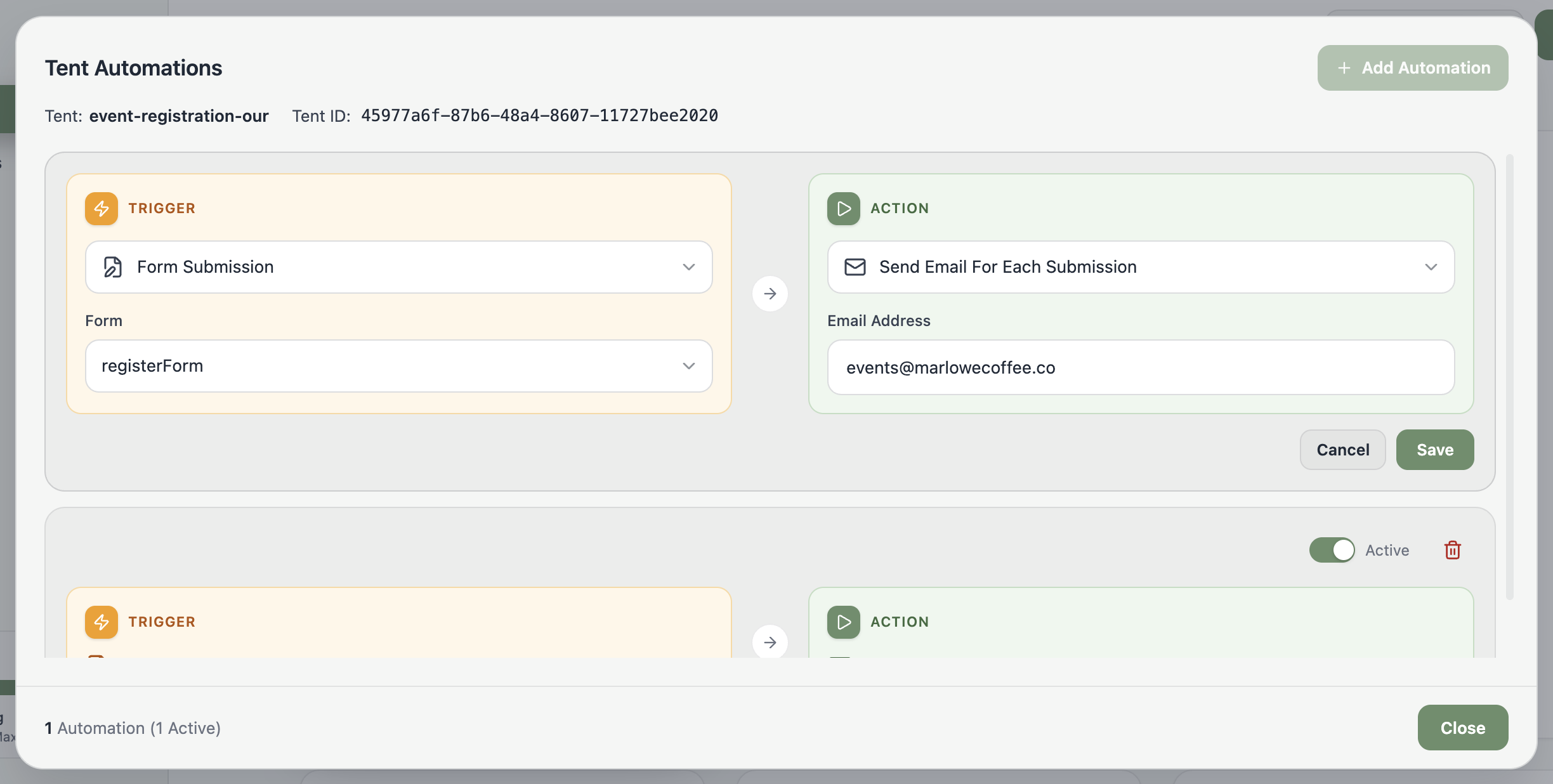
- From the Tent Details page, select Add Automation (or Manage Automations if you already have some).
- In the Tent Automations window, select Add Automation.
- On the left, under Trigger, select Form Submission, then pick the form to watch.
- On the right, under Action, select Send Email For Each Submission.
- Enter the email address that should receive the notifications.
- Select Save to finish.
Scheduled Digest (Daily, Weekly, or Monthly)
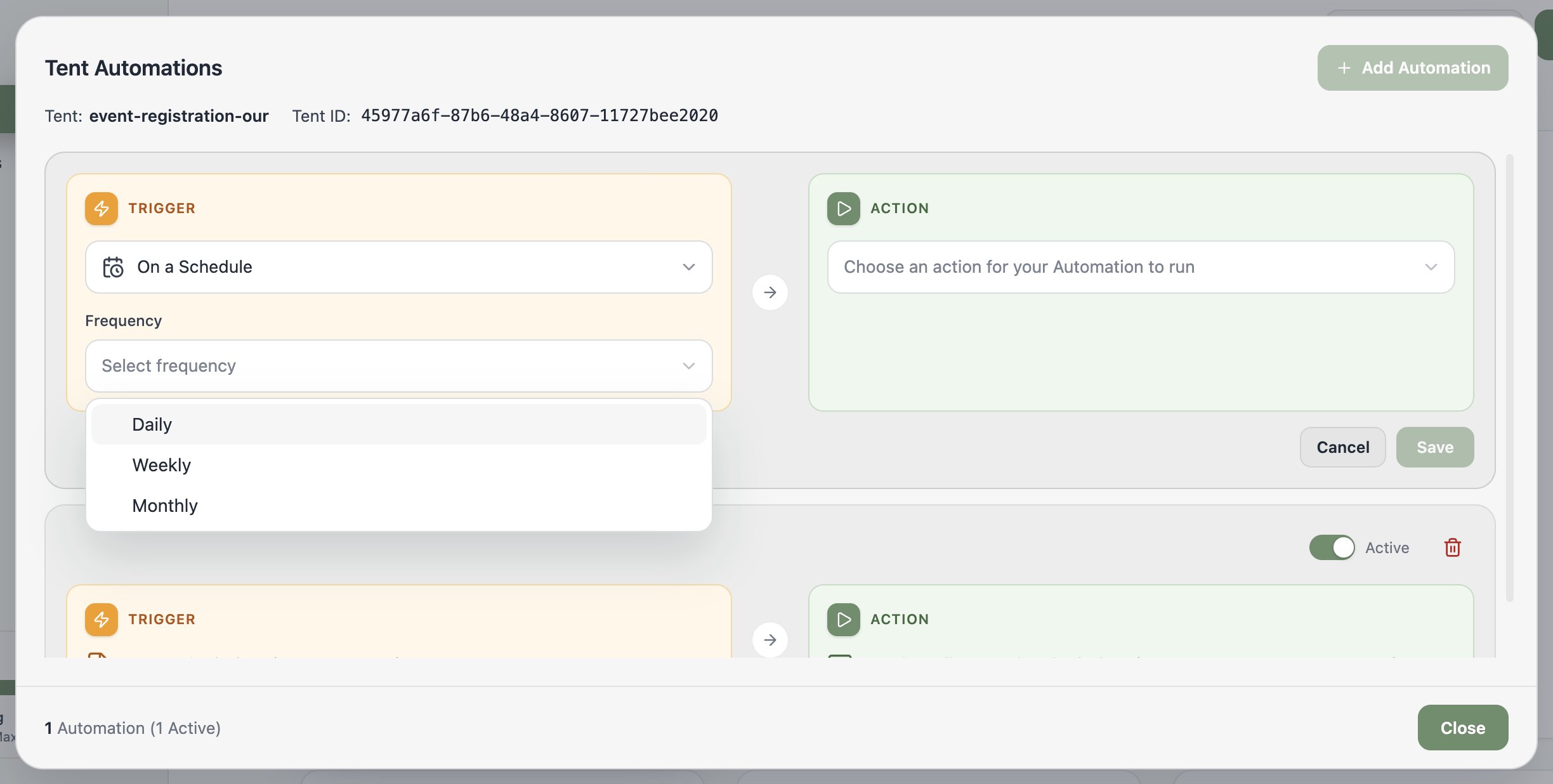
Scheduled notifications deliver your form data on a cadence — great for a Monday-morning leads review. Times follow the timezone associated with your Tented workspace.- From the Tent Details page, select Add Automation (or Manage Automations).
- In the Tent Automations window, select Add Automation.
- On the left, under Trigger, select On a Schedule.
- Choose the frequency — Daily, Weekly, or Monthly — and the specific time (and day, if applicable). Monthly offers handy presets: first day, last day, or middle of the month.
- On the right, under Action, select Send Email With Form Data CSV and enter the recipient address.
- Select Save to finish.
Related: Form Automations
The full guide to triggers, actions, and managing automations.