> ## Documentation Index
> Fetch the complete documentation index at: https://docs.tented.ai/llms.txt
> Use this file to discover all available pages before exploring further.
# Workspace Settings
> Configure your workspace settings and team preferences
## Workspace Settings Overview
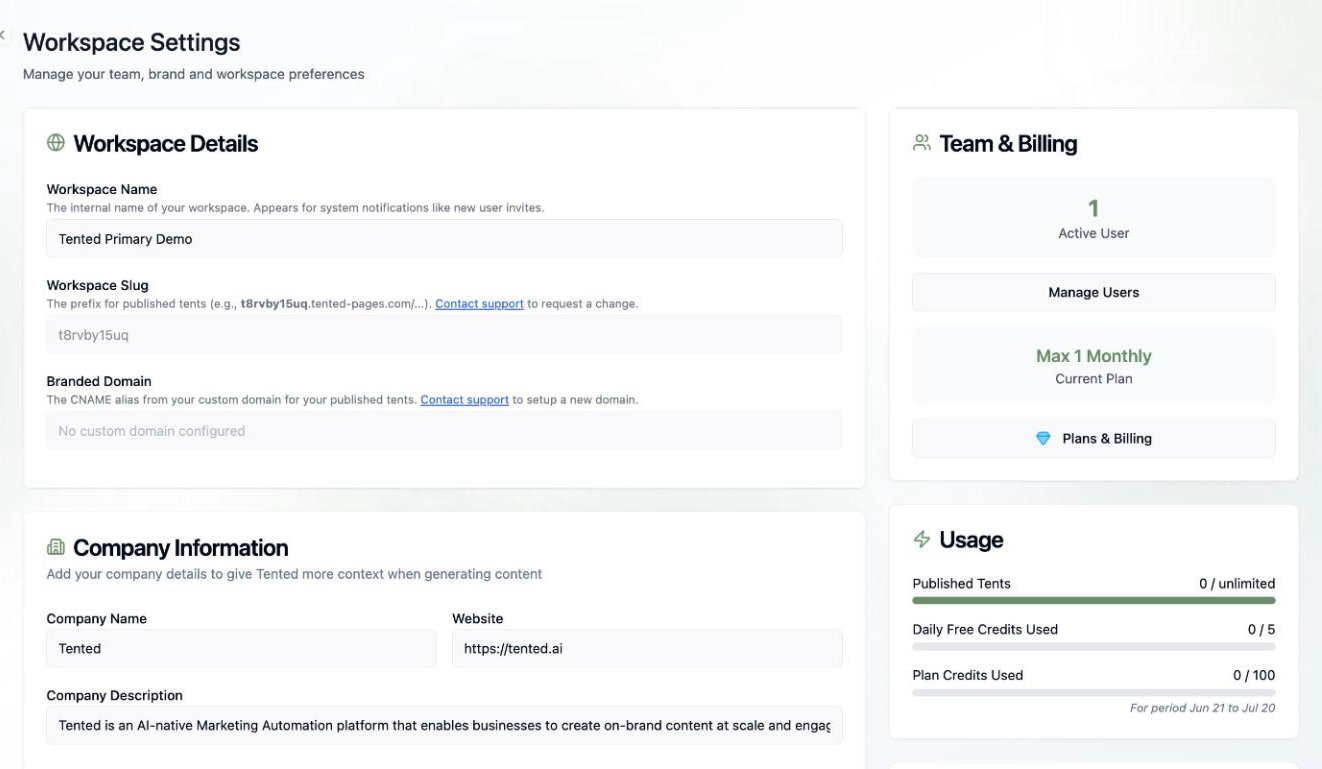
Workspace settings control your company information, branding, team, integrations, and Tented plan — everything shared by your whole workspace.
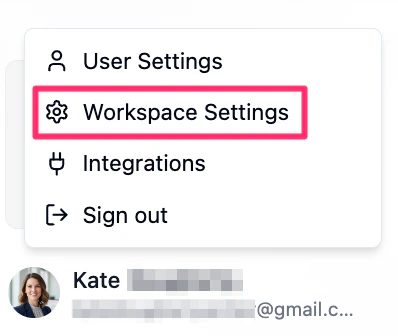
Click your **profile icon** in the bottom-left corner, then select **Workspace Settings** from the menu that opens.
 ## Workspace Details
* **Workspace Name**: The internal name of your workspace, used in system notifications like user invites.
* **Workspace Slug**: A unique identifier used as the prefix for your published tents (e.g., `t8rvby15uq.tented-pages.com/...`). Contact support to request a change.
* **Branded Domain**: The CNAME alias from your custom domain for published tents. See [Custom Domains](/configuring-tented/custom-domains).
## Company Information
Give Tented context for on-brand AI generation:
* **Company Name** and **Website**
* **Company Description**: A brief description of what your company does.
## Brand
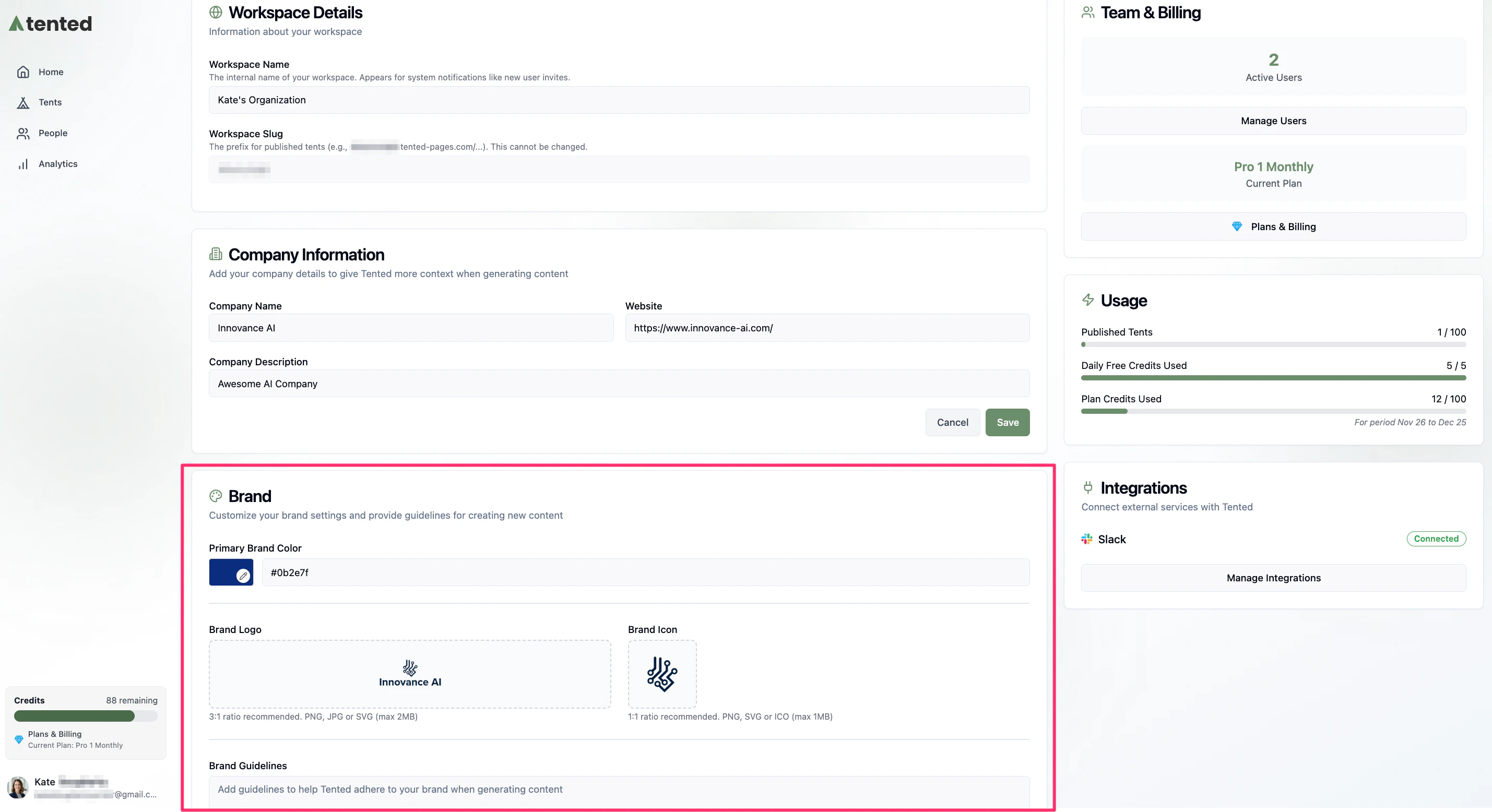
* **Primary Brand Color**: Your main brand color (used for buttons and accents).
* **Brand Logo**: PNG, JPG, or SVG with a 3:1 aspect ratio and transparent background (max 2MB).
* **Brand Icon**: PNG, SVG, or ICO with a 1:1 (square) aspect ratio (max 1MB).
* **Brand Guidelines**: Free-text guidance the AI follows when generating content — fonts to prefer, tone, things to avoid.
## Workspace Details
* **Workspace Name**: The internal name of your workspace, used in system notifications like user invites.
* **Workspace Slug**: A unique identifier used as the prefix for your published tents (e.g., `t8rvby15uq.tented-pages.com/...`). Contact support to request a change.
* **Branded Domain**: The CNAME alias from your custom domain for published tents. See [Custom Domains](/configuring-tented/custom-domains).
## Company Information
Give Tented context for on-brand AI generation:
* **Company Name** and **Website**
* **Company Description**: A brief description of what your company does.
## Brand
* **Primary Brand Color**: Your main brand color (used for buttons and accents).
* **Brand Logo**: PNG, JPG, or SVG with a 3:1 aspect ratio and transparent background (max 2MB).
* **Brand Icon**: PNG, SVG, or ICO with a 1:1 (square) aspect ratio (max 1MB).
* **Brand Guidelines**: Free-text guidance the AI follows when generating content — fonts to prefer, tone, things to avoid.
 ## People
A quick view of your contact database, with **People database size** and **Custom fields used**. Click **Manage Fields** to add and manage [standard and custom contact fields](/people/contact-fields).
## Email
Shows your email sending status (with a **Verified** badge once your domain checks out). Click **Manage Email** to configure your sending domain, sender profile, default headers, and unsubscribe footer — the full walkthrough is in [Setting Up Email](/email/email-setup).
## Team & Billing
* **Active Users** and **Manage Users** — open [Team Management](/configuring-tented/managing-users) to invite and manage teammates.
* **Current Plan** and **Plans & Billing** — see [Managing Your Subscription](/billing-subscriptions/managing-subscription).
## Usage
* **Published Tents**: How many tents you've published against your plan's limit.
* **Daily Free Credits Used**: Free AI generation credits used today.
* **Plan Credits Used**: Paid AI credits used this billing period.
For deeper usage analytics, see [Viewing Current Usage](/billing-subscriptions/viewing-usage).
## API
Click **Manage API** to create API keys and monitor credits for REST API and agent access. See [API Keys & Usage](/configuring-tented/api-keys) to manage keys, and the [API Reference](/api-reference/introduction) for endpoints.
Serve your published tents from your own branded domain.
## People
A quick view of your contact database, with **People database size** and **Custom fields used**. Click **Manage Fields** to add and manage [standard and custom contact fields](/people/contact-fields).
## Email
Shows your email sending status (with a **Verified** badge once your domain checks out). Click **Manage Email** to configure your sending domain, sender profile, default headers, and unsubscribe footer — the full walkthrough is in [Setting Up Email](/email/email-setup).
## Team & Billing
* **Active Users** and **Manage Users** — open [Team Management](/configuring-tented/managing-users) to invite and manage teammates.
* **Current Plan** and **Plans & Billing** — see [Managing Your Subscription](/billing-subscriptions/managing-subscription).
## Usage
* **Published Tents**: How many tents you've published against your plan's limit.
* **Daily Free Credits Used**: Free AI generation credits used today.
* **Plan Credits Used**: Paid AI credits used this billing period.
For deeper usage analytics, see [Viewing Current Usage](/billing-subscriptions/viewing-usage).
## API
Click **Manage API** to create API keys and monitor credits for REST API and agent access. See [API Keys & Usage](/configuring-tented/api-keys) to manage keys, and the [API Reference](/api-reference/introduction) for endpoints.
Serve your published tents from your own branded domain.