> ## Documentation Index
> Fetch the complete documentation index at: https://docs.tented.ai/llms.txt
> Use this file to discover all available pages before exploring further.
# Managing Users
> Manage your team from the Team Management page
## Team Management Overview
Everything about your team lives on the **Team Management** page: click your **profile icon > Workspace Settings**, then **Manage Users** in the **Team & Billing** card.
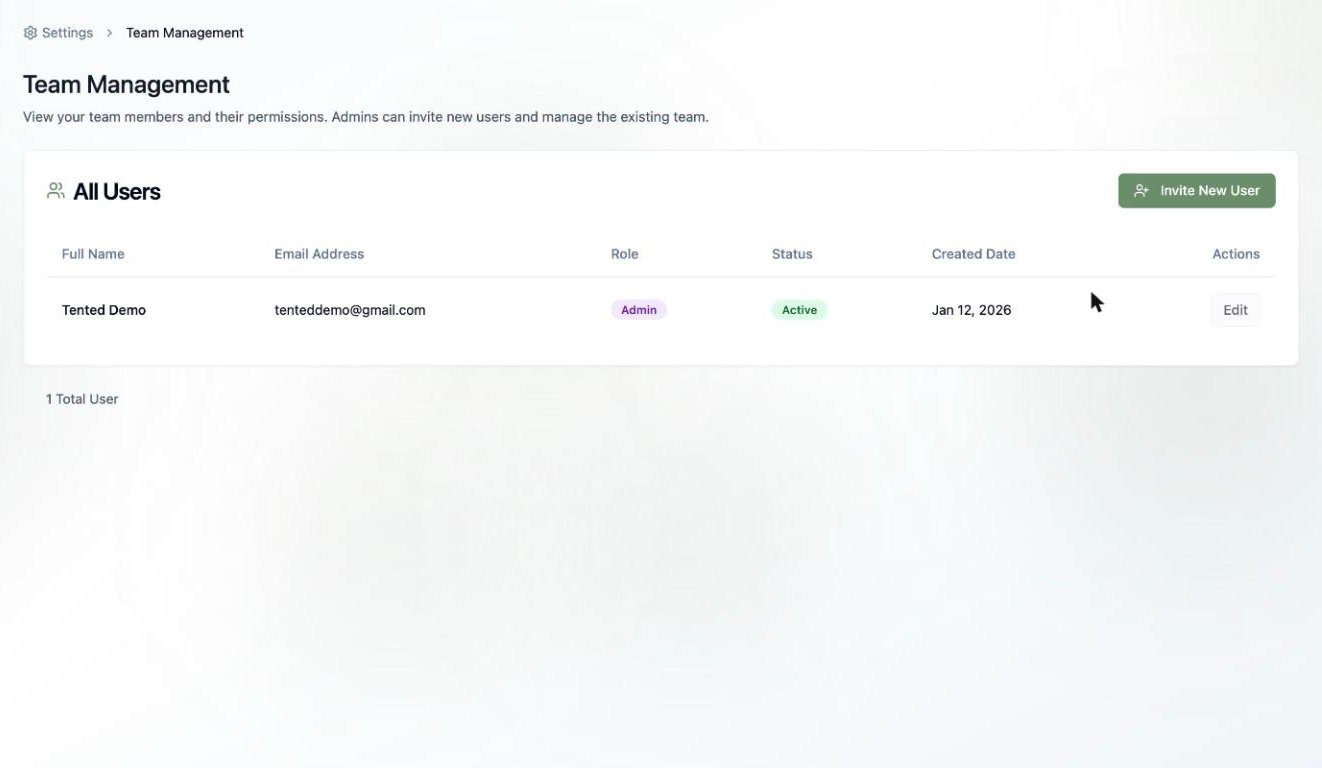 ## The All Users Table
For each member you'll see:
* **Full Name** and **Email Address**
* **Role** — **Admin** or **Standard User** (see [User Permissions](/configuring-tented/user-permissions))
* **Status** — whether they're active in the workspace
* **Created Date** — when they joined
* **Actions** — click **Edit** to update their details or change their role
## Common Tasks
* **Add someone** — click **Invite New User** (full guide: [Inviting New Users](/configuring-tented/inviting-new-users))
* **Change a role** — click **Edit** on their row and pick the new role
* **Check your seat count** — the total is shown under the table; every Tented plan includes unlimited users, so invite freely
Only **Admins** can access Team Management, send invitations, and change roles.
Understand what Admins and Standard Users can each do.
## The All Users Table
For each member you'll see:
* **Full Name** and **Email Address**
* **Role** — **Admin** or **Standard User** (see [User Permissions](/configuring-tented/user-permissions))
* **Status** — whether they're active in the workspace
* **Created Date** — when they joined
* **Actions** — click **Edit** to update their details or change their role
## Common Tasks
* **Add someone** — click **Invite New User** (full guide: [Inviting New Users](/configuring-tented/inviting-new-users))
* **Change a role** — click **Edit** on their row and pick the new role
* **Check your seat count** — the total is shown under the table; every Tented plan includes unlimited users, so invite freely
Only **Admins** can access Team Management, send invitations, and change roles.
Understand what Admins and Standard Users can each do.