> ## Documentation Index
> Fetch the complete documentation index at: https://docs.tented.ai/llms.txt
> Use this file to discover all available pages before exploring further.
# Inviting New Users
> Bring teammates into your Tented workspace
## Inviting Users Overview
Tented workspaces are built for teams — invite as many teammates as you need (every plan includes unlimited users). Admins handle invitations from **Team Management**.
## Sending an Invitation
1. Click your **profile icon** in the bottom-left corner and select **Workspace Settings**.
2. In the **Team & Billing** card, click **Manage Users** to open **Team Management**.
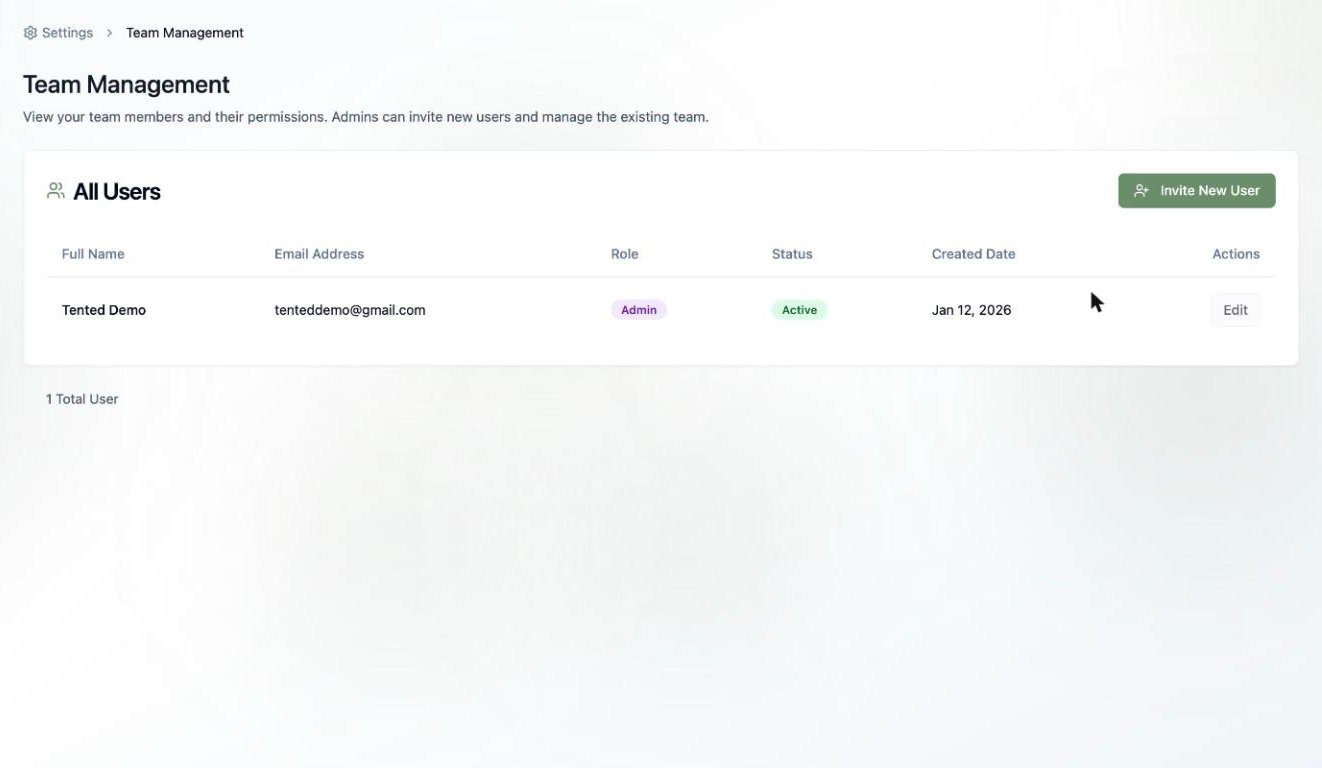
3. Click **Invite New User**.
 4. Fill in the invitation:
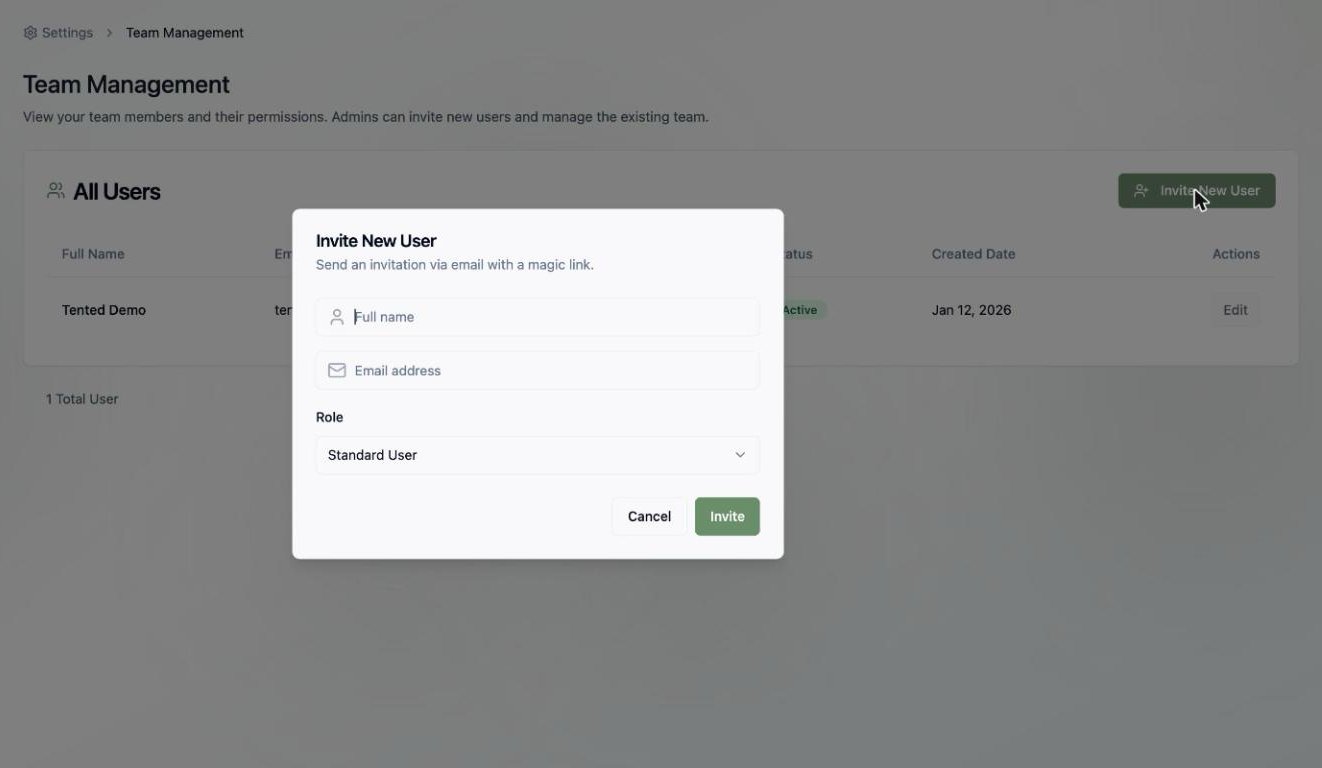
* **Full name** — how they'll appear in the workspace
* **Email address** — where the invitation is sent
* **Role** — **Standard User** or **Admin** (see [User Permissions](/configuring-tented/user-permissions))
5. Click **Invite**.
4. Fill in the invitation:
* **Full name** — how they'll appear in the workspace
* **Email address** — where the invitation is sent
* **Role** — **Standard User** or **Admin** (see [User Permissions](/configuring-tented/user-permissions))
5. Click **Invite**.
 Your teammate receives an email with a **magic link** — no password setup required. One click and they're in.
## After the Invite
New users appear in the **All Users** table with their role and status. From there you can [manage them](/configuring-tented/managing-users) — change roles or update details with the **Edit** action.
Not sure which role to pick? Default to **Standard User** — you can always promote someone to **Admin** later.
Learn how to manage existing users in your workspace.
Your teammate receives an email with a **magic link** — no password setup required. One click and they're in.
## After the Invite
New users appear in the **All Users** table with their role and status. From there you can [manage them](/configuring-tented/managing-users) — change roles or update details with the **Edit** action.
Not sure which role to pick? Default to **Standard User** — you can always promote someone to **Admin** later.
Learn how to manage existing users in your workspace.