> ## Documentation Index
> Fetch the complete documentation index at: https://docs.tented.ai/llms.txt
> Use this file to discover all available pages before exploring further.
# Viewing Current Usage
> Track credits, email sends, and AI generations across your workspace
## Three Places to Check Usage
### 1. The sidebar credits meter
The **Credits** bar at the bottom-left of every page shows your remaining AI credits at a glance. Hover it for the details — plan credits left and your current billing period.
### 2. Workspace Settings
The **Usage** card in [Workspace Settings](/configuring-tented/workspace-settings) shows your headline numbers against plan limits:
* **Published Tents** — live tents vs. your plan's limit
* **Daily Free Credits Used** — today's free credits
* **Plan Credits Used** — paid credits used this billing period
### 3. The Analytics area
For trends over time, click **Analytics** in the sidebar. It's your workspace-wide dashboard:
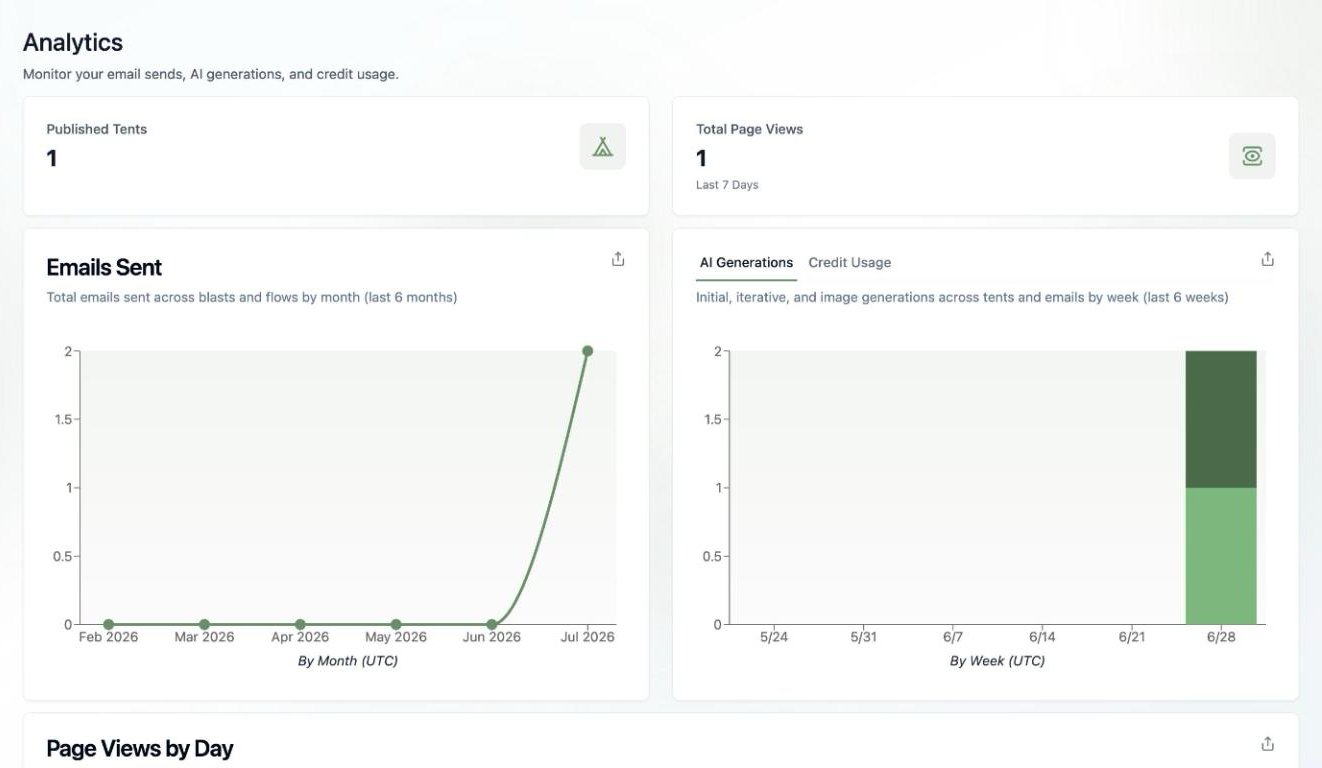 * **Published Tents** and **Total Page Views** (last 7 days)
* **Emails Sent** — total emails across [blasts](/email/email-blasts) and [flows](/email/triggered-flows) by month
* **AI Generations / Credit Usage** — initial, iterative, and image generations across tents and emails by week, with a tab to see the same data as credits
* **Page Views by Day** — traffic across all your tents
Each chart has an export button, so you can pull the data into your own reporting.
## What Uses Credits?
AI generation: creating and iterating on tents, emails, and templates, plus [AI image generation](/working-with-tents/generating-images) (0.5 credits per image). Viewing, publishing, sending, and collecting form submissions don't consume AI credits (form submissions have their own monthly limit on the Free plan).
Consistently running out of credits? Add more in 100-credit blocks with the [AI Credits Add-on](/billing-subscriptions/ai-credits) — or see [Upgrading Your Plan](/billing-subscriptions/upgrading-plan) if you're still on Free.
* **Published Tents** and **Total Page Views** (last 7 days)
* **Emails Sent** — total emails across [blasts](/email/email-blasts) and [flows](/email/triggered-flows) by month
* **AI Generations / Credit Usage** — initial, iterative, and image generations across tents and emails by week, with a tab to see the same data as credits
* **Page Views by Day** — traffic across all your tents
Each chart has an export button, so you can pull the data into your own reporting.
## What Uses Credits?
AI generation: creating and iterating on tents, emails, and templates, plus [AI image generation](/working-with-tents/generating-images) (0.5 credits per image). Viewing, publishing, sending, and collecting form submissions don't consume AI credits (form submissions have their own monthly limit on the Free plan).
Consistently running out of credits? Add more in 100-credit blocks with the [AI Credits Add-on](/billing-subscriptions/ai-credits) — or see [Upgrading Your Plan](/billing-subscriptions/upgrading-plan) if you're still on Free.